
3D Object Capture
Generate 3D models with AR instructions
ASTERKIT SOFTWARE LIMITED
iPhone Screenshots




Description
Scan objects using AR to create high-definition 3D models locally on your device. Share models as files, via messages, or to Sketchfab. Generate models from artworks, toys, and other physical items using Apple's photogrammetry framework.
Get high definition 3D models by following AR instructions. Generated locally on your device. And share it as a file, via messages, or to Sketchfab with a few taps!
**You will need a compatible iPhone or iPad device. If your device is not compatible, you can combine with our Mac app to generate the model**
You can scan your art works, favorite hand-crafted items, toys, anime figures, and more.
This app is using Apple's newest photogrammetry framework published in 2023.
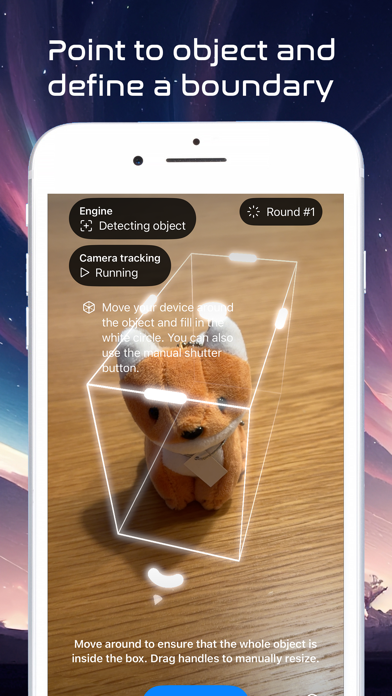
1. Point to the object and tap continue
2. The bounding box of the object will automatically appear, you can manually adjust as well; then, tap continue
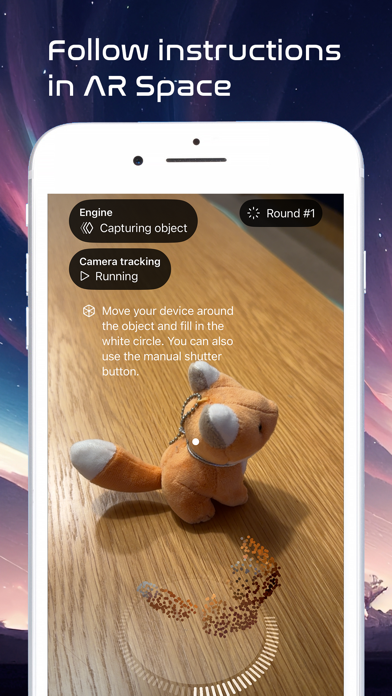
3. Follow the AR instruction on-screen to fill in the white circle
4. Repeat for lower angle and upper angle
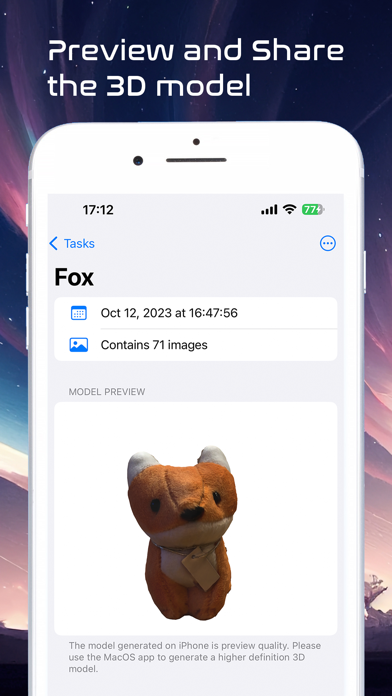
5. Generate the model and preview (in AR)
6. Share to Sketchfab with 1~3 taps