Apps Like Basic Electronic Calculator for iPhone and iPad
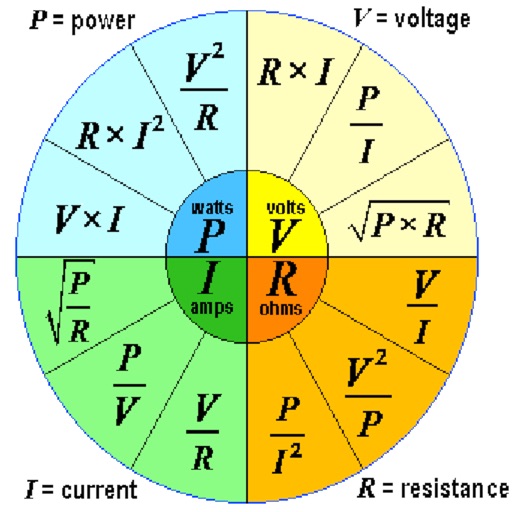
Calculate voltage, current, resistance, and power
Calculate voltage, current, resistance, or electric power by entering any two values. Convert results between normal and scientific notation. Display calculated values clearly.
by Gergely Nagy★ 3.52 ratingsUtilitiesFreeData updated 2026-09-08
Track current and predicted for courses. Input and assignment weights to calculate final projections. Set goals for desired and monitor progress over time. Adjust parameters as assignments and deadlines change.
Calculate EMIs by inputting amount, interest rate, and period. View payment schedules in a table format. Track monthly payments and see breakdowns of principal and interest.
Calculate diameters based on electrical power, voltage, and current. Input parameters to determine required size. Access calculation formulas and reference tables. Export results for documentation.
Perform calculations using reverse Polish notation. Swipe to undo or redo operations. Access a 100-entry stack and 6 memory buttons. View large, easy-to-read displays. Save state on exit. Supports scientific functions and multiple undo/redo levels.
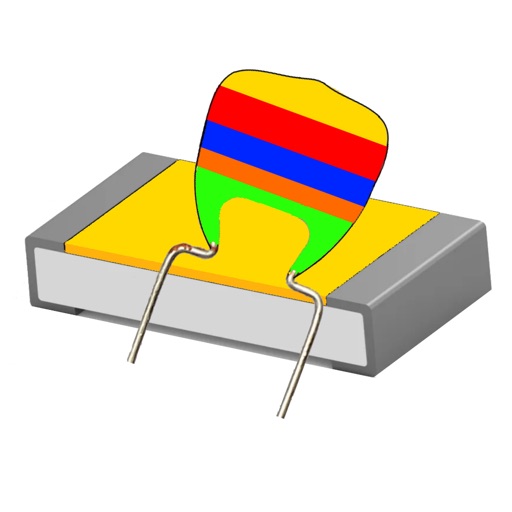
Calculate values by entering the EIA code or desired value. Determine color rings based on capacitance. Support SMD capacitors and convert between codes and values.
™ lets users input airflow, velocity, or friction to determine size. Calculate pressure drop and flow rate. Input dimensions for custom shapes. Export results and save calculations.
Helps estimate materials for various shapes. Users input dimensions to calculate volume and quantity. Features include slab, column, and post calculations. Saves results for future reference.
Perform basic and advanced calculations with large, illuminated buttons. Use the scientific for 30 functions. Convert units, calculate loans, and determine tips. Includes standard, scientific, unit converter, loan, and tip calculators.
Calculate wire pull characteristics and generate NEC®
The includes multiple calculators for electrical wire pull calculations. Users can input parameters for voltage drop, ground wire sizing, ampacity adjustments, and phase wire attributes. Results are generated according to NEC® standards.
Calculator+++ allows users to input data via Add X, Add Y, and Add f buttons. Perform statistical analysis, regression, probability distributions, confidence intervals, and hypothesis tests. View results directly without needing a manual.
Calculate mathematical functions with precise fractional results using square roots. Input integers, rational, or irrational numbers. Convert results to decimal. Compute f(α), f(β), and their sum for two variable inputs.
Calculate details instantly by entering amount, interest rate, and term. View real-time updates in tables and charts. Adjust values quickly with popup number pad or change buttons. See payment schedules and visual summaries of terms.
™ allows users to perform fraction calculations and convert between decimals and fractions. It supports degree, minute, and second conversions. Users can handle unit conversions and calculations with dimensional units.
Offers basic and scientific functions for daily tasks and complex computations. It includes unit converters with 41 categories, allowing users to drag and sort units, switch base units, and perform accurate calculations.
Calculates air density, relative humidity, and air pressure automatically. Displays geographic position, temperature, dewpoint, elevation, and barometric pressure. Supports airport and manual input modes.
Calculate dew with temperature and humidity inputs
Calculate dew temperature using air temperature and relative humidity. Convert results to Kelvin, Celsius, or Fahrenheit. Input values manually for accurate calculations.