
Grid Painter
bigpantsgroup LLC
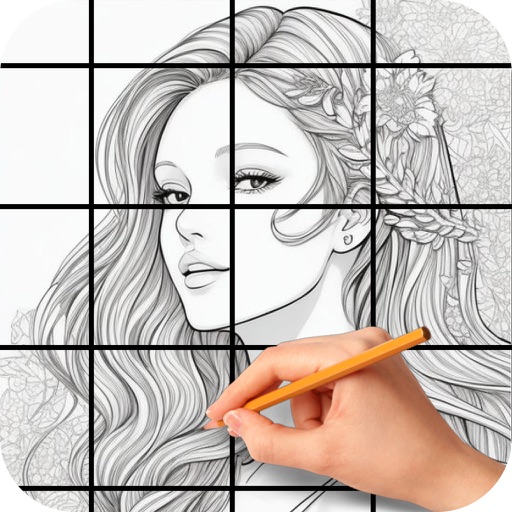
Place over images to paint precisely
Create and customize grids on images for drawing and painting. Place grids over photos to use as reference. Adjust size and spacing. Export layers for use in digital art tools.

Capture and analyze your subject matter
Use the to capture or select a reference image for painting. Adjust the canvas size to match the chosen window. Access grid options like the golden ratio or use no grid.
Showing 1–20 of 1,000 ranked alternatives.
bigpantsgroup LLC
Place over images to paint precisely
Create and customize grids on images for drawing and painting. Place grids over photos to use as reference. Adjust size and spacing. Export layers for use in digital art tools.


yasuki watanabe
Convert photos into paintings
Convert photos and videos into paintings or hand-drawn animations using AI. Apply sketching or painting styles with adjustable textures. Save the artwork process as a video. Choose from five standard art tools.

NET Sigma Tecnologia Ltda - ME
Create art from photos and videos
Create artworks from photos or videos using styles like , sketch, oil painting, and watercolor. Choose textures such as canvas or paper. Adjust tones and apply filters. Share creations directly from the .

Roman Sevastyanov
Explore wheels in one place
Explore wheels in digital, abstract, and classic formats. Select colors using a camera or image. Adjust hues and values. Create combinations. Use AR stencil for proportion marking. Save and share palettes.


SCRL AB
Create collages and Instagram carousels
Create collages using hundreds of templates. Arrange images in custom layouts. Add text, stickers, and effects. Export and share directly to Instagram. Design carousels with seamless transitions. Edit photos with cropping and filters.

JUPITER PALACE PTE. LTD.
Create collages for social media and stories
Create collages from photos and videos for social media posts, stories, and thumbnails. Edit videos with trimming and grid layout options. Add blurred backgrounds without cropping. Share content directly to platforms like Instagram and TikTok.

guangxie chen
Draw with realistic brushes and watercolors
Create detailed artwork with realistic brushes and watercolor effects. Scale canvas up to 64 times with precise grid and pixel-level accuracy. Use over 80 brushes, erasers, smearing tools, rulers, cutters, fill tools, and color pickers.


Aleksandr Romanchev
Select photo, apply effect, edit and share
Choose a photo from your camera roll or take a new one, then apply effects automatically. Select from various styles, adjust positioning, zoom, and customize edits. Save and share the final .

Funnytech Corporation
Capture photos with stylish filters
Capture photos with real-time grid lines and flash settings. Use one-touch beautification for selfies. Access weekly updated filters and collages. Add stickers and create collages. Share edited photos directly.

Andor Communications Private Limited
Animate photos with motion effects
Create animated visual stories from still images using motion effects and overlays. Combine static photos with to produce dynamic animations. Share creations with a community of photographers and artists.

Debotosh Dey
Photos and videos with AI
Photos and videos using AI to expand images, remove objects, and replace or blur backgrounds. Enhance image quality, restore old photos, and create AI-generated scenes. Share edited content directly to Instagram.
Kristian Olidana
Select colors, import photos, draw realistically
Select presets from brands like Prismacolor and Faber Castell. Import reference images to begin color picking. Choose from predefined sets including 150s, 132s, 72s, and 48s.


Bita Sobhani
Convert photos to books
Convert photos to black and white drawings for . Import photos from device or camera. Add colors using painting tools. Create drawings on blank canvas. Premium version offers more paint colors, opacity control, and outline editing. Removes ads.

Apple Inc.
Edit images, add layers, and sketch digitally
Create image compositions with layers, shapes, and text. Edit photos with touch-up tools and painting features. Add filters and adjustments. Export in various formats and share directly.
Apps are ranked by functional similarity, category fit, rating confidence, and popularity.