
Colored Pencil Picker
Select colors, import photos, draw realistically
Kristian Olidana
iPhone Screenshots

Description
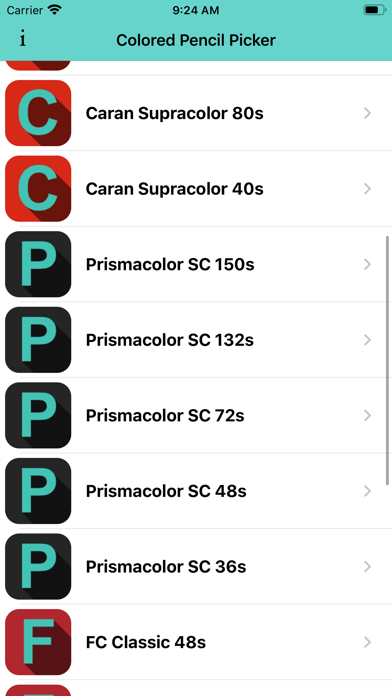
Select presets from brands like Prismacolor and Faber Castell. Import reference images to begin color picking. Choose from predefined sets including 150s, 132s, 72s, and 48s.
Introducing "Colored Pencil Picker" app, the ultimate drawing tool for colored pencil artist.
Learn realistic drawings FAST and EASY!
"Colored Pencil Picker" app will help you pick the best colors for your realistic drawings.
Made for Colored Pencil Artist.
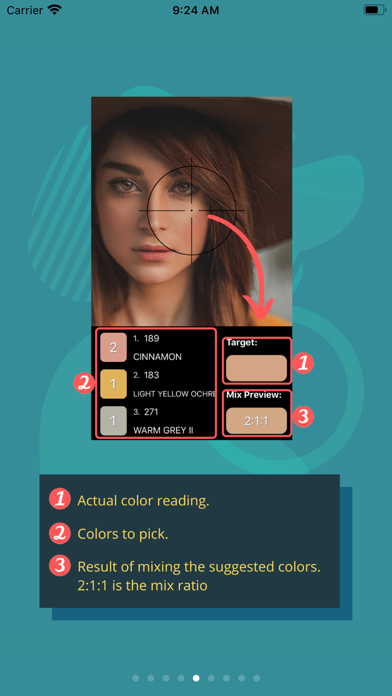
Select Brand -> Import reference photo -> Begin color picking.
Features:
A. Colored pencil presets from famous brands,
-Prismacolor: 150s, 132s, 72s, 48s, 36s
-Faber Castell Classics: 48s, 36s
-Faber Castell Polychromos: 120s, 72s, 60s, 48s
-Caran d’Ache Luminance: 76s, 40s
-Caran d’Ache Pablo: 120s, 80s, 40s
-Caran d’Ache Supracolor: 120s, 80s, 40s
-Derwent Artist Pencils: 120s, 72s, 48s, 36s
-Derwent Lightfast: 100s, 72s, 48, 36s
-Arteza Expert Colored Pencils: 120s, 72s, 48s
-(more brands to come)
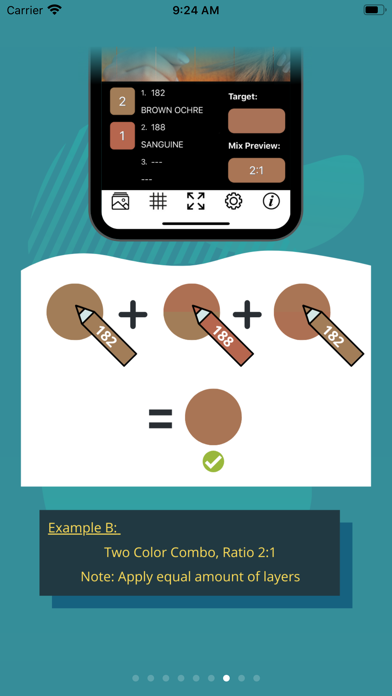
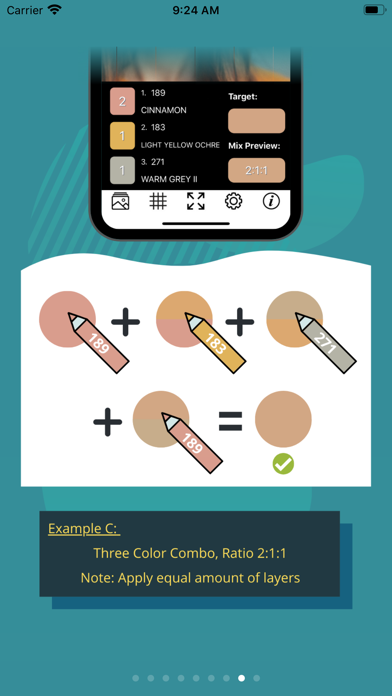
B. Blend and Mix up to 3 colors for more accurate results.
C. Pencil Locator Feature.
D. Image Grid
E. Mix Ratio
F. Adjustable Color Depth
G. Retrieve the last used photo.
Hurry! Download our App now for Free!