Capture frames using the iOS device camera. View differences between frames with onion skinning. Preview frames in a scrollable timeline. Adjust exposure, white balance, and focus automatically. Share finished animations directly.
by Kudlian Software Ltd.★ 3.812 ratingsPhoto & Video$2.99Data updated 2026-09-08
Manage and organize creative projects in one place. Import and export files. Edit art with high zoom, animation tools, and color palette customization. Create and animate sprites for retro-style games.
Create animated GIFs with adjustable size up to 480 x 480 pixels and extended duration. Trim, crop, and adjust frames. Add text and stickers. Export GIFs directly or share via social media and messaging apps.
Edit photos with blending tools to create double exposure effects. Add frames, quotes, and background elements. Apply single-layer filters. Export edited images without ads. two images with one touch.
The app records time-lapse videos with frame rates from 1 to 100 frames per minute. Recorded videos are accessible in the camera roll without a frame limit.
Create frame-by-frame animations from scratch or based on videos, images, or Photoshop layers. Export in multiple formats. Draw and animate directly on iPad or iPhone.
Edit photos adjustable temperature, tint, and exposure settings. Use texture blending tools and apply effects. Add stickers opacity and shadow control, and include text 3D effects and multiple fonts. Crop, rotate, and straighten images.
Turn photos into GIFs by selecting from a variety of animations. Choose from options like extreme anger, sly smile, and epic slap. Share the resulting GIFs directly with friends. Edit and customize animations before sharing.
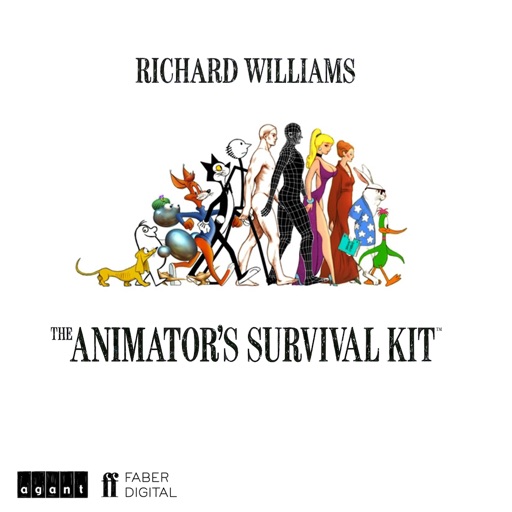
The app provides the underlying principles that every animator needs. It includes over 100 animated examples and previously unreleased animations by Richard Williams.
The app creates stop motion animation. This technique makes a manipulated object appear to move by photographing it in small increments between frames.
Post photos and videos without cropping for Instagram. Add blur backgrounds automatically. Resize, rotate, and zoom content within the square. Apply effects, filters, stickers, and text. Select no layouts. Support 1080P video. Save in high quality.
Capture photos with a variety of frames including general, antique, fame, fun, heart, flower, kid, Christmas, Halloween, diamond, and gold. Use custom frames with adjustable transparency, hue, saturation, and brightness. Apply filters and effects.