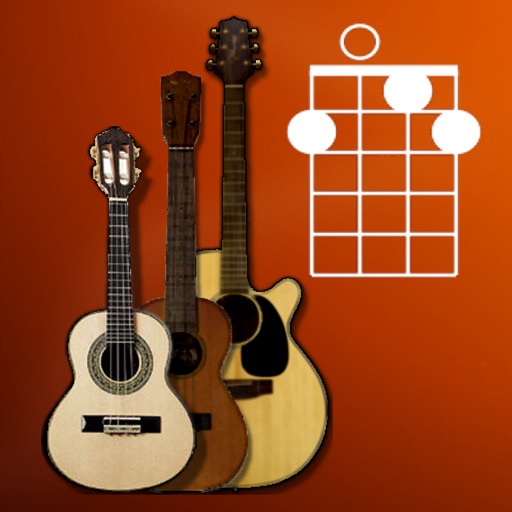
The app displays chord positions for Guitar, Ukulele, and other stringed instruments. It provides finger positions, chord or note information, and supports left-handed display with an option to disable autoplay.
by Alexandre Roux★ 4.010 ratingsMusicFreeData updated 2026-09-15
The app identifies tones and notes for musical instruments and vocal training. It displays identified tones on a dashboard and offers a tuning wizard for 15 instruments with 55 tunings.
Tune a standard 6-string in GBDgbd tuning. Select a string and touch the corresponding note to match pitch. Adjust tuning pegs manually to achieve correct pitch. Provides visual feedback for accurate tuning.
Learn with detailed fingering instructions for all 17 fretboard positions. Explore over 24,000 chord voicings tailored to specific types and tunings. Track progress with interactive exercises and practice routines.
Tune instruments with precise pitch detection. Supports guitar, ukulele, bass, violin, and piano. Adjust tuning settings for different scales. Display visual feedback for accurate pitch. Save and recall custom tuning configurations.
With video tutorials that explain each step clearly. Practice chord transitions and strumming patterns. Track progress and access song tutorials for popular music.
Tune strings with frequency display in Hz. Access chords via two swipes. Load tunings instantly for 64-bit optimization. Use tuning fork for ear-based tuning. Features LED indicator and visual feedback for string status.
Learn guitar, ukulele, piano, and vocals through AI-driven lessons. Receive real-time performance feedback and adjust learning content dynamically. Follow step-by-step video tutorials and practice with interactive exercises.
A dictionary for identifies symbols based on finger positions. Set finger placements to retrieve names. Includes reverse lookup for symbols to finger positions.
Tune strings by selecting notes and adjusting tuning pegs. Provides visual feedback for accurate pitch. Guides users through standard DAA tuning for beginners. Supports finger placement practice for improved playing.
Learn with visual patterns and chord diagrams. Practice exercises to improve speed and accuracy. Track progress with built-in quizzes and feedback. Sync lessons across devices and adjust difficulty levels.
Edit and transcribe chord sheets with auto-scrolling and smart automation. Customize chord diagrams, adjust tuning, and apply capo positions. Transpose and access a virtual fretboard for alternative voicings.
Play with a full 88-key keyboard and haptic feedback. Use multi-touch for chords and dynamics. Access 50+ instrument tones. Learn through interactive practice. Control via widgets without launching the .
Transforms iPhone into a chromatic and . Detects pitch and displays frequency. Adjusts tempo and beats per minute. Customizable settings for tuning and rhythm. Syncs with audio input for real-time feedback.
The app provides a tool for users to write and learn music. It offers a fretboard slider for chord positions and inversions, a strumming interface, and the ability to see chord structures.
Turn your iPhone into an with effects. Adjust a 10-band equalizer, apply reverb with over 10 presets, add delay, or use distortion with over 20 presets. Record and share audio with applied effects.