Apps Like FileViewer USB for iPhone for iPhone and iPad
View files, transfer, print, email
View and manage files including PDFs, documents, and media. Open files via email, AirDrop, or connected devices. Transfer files using USB or Wi-Fi. Print documents and share files directly. Supports multiple file formats for viewing and listening.
by MITCHELL COHEN★ 4.02 ratingsBusiness$3.99Data updated 2026-11-27
The app manages and downloads documents, supporting Open Document formats like ODT, ODS, and ODP. It displays PDF, MS Word, Excel, PowerPoint, iWork, and image files, and integrates with cloud services like Google Drive, Dropbox, and Box.
Securely store and manage files and emails with private user profiles. Switch users quickly to an . View and display PDF, Office, and iWork documents. Transfer and store files from cloud or computer.
Manage files on iOS devices with support for over 40 types. View documents, play music, watch movies, and view photos. Record voice notes for interviews, meetings, or reminders. Transfer files to cloud storage or between devices.
Remove unwanted areas from images or PDF files using precise cropping tools. Stitch multiple images or PDF pages together. Export cropped content as JPEG, PNG, or PDF to the Photo Library or other apps.
Convert documents and images between supported formats. Select files from device storage or photo library. Choose target format from list including PDF, DOC, JPEG, PNG, and more. Preview converted files before saving.
Transfer files and folders between devices. Monitor transfer progress for better tracking. Open files directly or share with other apps. Upload learning materials via Wi-Fi using HTTP or FTP.
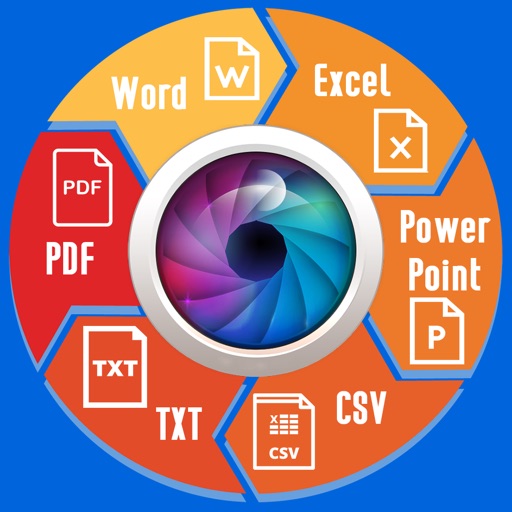
Extract text from scanned images and convert to Word, Excel, or PDF. Edit extracted content in Word or Excel. Convert tables and format from images to Excel or Word. Save as text files or PDFs. No registration required for conversions.
Manage files, transfer, unzip, preview, play videos,
Manage files with drag-and-drop organization and folder creation. Transfer files between devices via Wi-Fi without cables. Preview photos and play videos. Unzip ZIP and RAR files.
The app allows users to transfer files via WiFi and USB. It supports Zip and Rar decompression, folder creation, and batch operations for multiple files.
The app connects two devices via WiFi or Bluetooth by shaking them together. It transfers various files including documents, photos, and contact information.
Documents, receipts, and notes to create PDF or JPG files. Use OCR to convert text from images. Edit scanned text and convert handwriting to text. Restore old photos and ID cards or passports. Share or save files in PDF, JPG, or TXT formats.
Print documents and photos directly to most WiFi/Wireless printers without additional software. Print remotely over mobile data. View and store emails, PDFs, files, photos, and web pages. Print from Mac or PC.
Create and edit PDF documents with ink annotations using Apple Pencil. Add notes, highlight text, and sign documents. Share files with colleagues or students. Review and annotate PDFs for study or work.
Convert documents between PDF and Word, Excel, JPG, PNG, HEIC, PPT, and EPUB formats. Upload files to convert them. Save and share converted documents directly.