The app measures relative angles and rotation using the gyroscope sensor. It offers five unit modes, background or foreground display rotation, and fine calibration of the gyrometer.
by Peter Breitling★ 3.26 ratingsUtilities$1.99Data updated 2026-09-15
Stream motion data from your iPhone to computers or devices using Open Sound Control. View real-time roll, pitch, and yaw values. Choose UDP or TCP for transmission. Adjust stream intervals. Visualize data with an interactive 3D wireframe cube.
The app provides automated object tracking and video analysis. Users can capture video, track objects, and instantly generate trajectory, position, and velocity graphs.
The app turns an iPad into a ruler for measuring small objects. It offers imperial and metric scales, adjustable ruler lines for comparison, and various color schemes.
Monitor home security with real-time video streams from multiple cameras. Control pan-tilt movement, make voice calls, and capture videos. Save recordings and access footage remotely. View live feeds and receive alerts for motion detection.
Perform arithmetic, logical, and memory operations. Calculate modulo, bit shifts, and bitwise functions. Save and load values. Switch number bases and modes via device rotation or screen edges.
The app offers an elegant display with gesture controls for speed readings. It provides a speed limit alarm and a Head-Up Display mode for nighttime use.
Measure lengths in centimeters or inches by placing the iPhone beside an object and moving it while touching the screen. Use a long scroll ruler up to 120 cm or a stick ruler with two sliders for small items.
The app allows users to view 3D models on their iPad using multi-touch gestures. It supports file transfers from email and cloud services, and can display 3D projects for presentations.
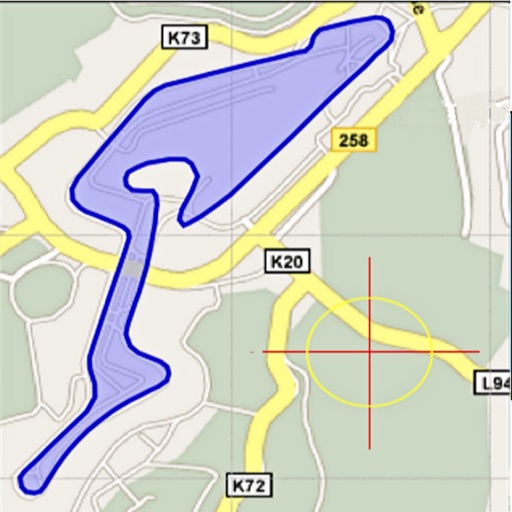
Area, lengths, and angles on maps using an interactive crosshair. Trace outlines to create connected points, updating area and perimeter in real time. Adjust radius for scaling features. View dynamic length and angle as you move the crosshair.
Turn your device into a full-screen scrolling banner. Display text, emoji, and photos in large format. Swipe to toggle mirror mode for visibility from the front. Share messages in public settings like concerts, events, or cars.
The app is an educational tool for surgeons to learn long bone deformity analysis. It features tools for measurement, drawing, and simulating osteotomy corrections with provided or user-uploaded radiographs.