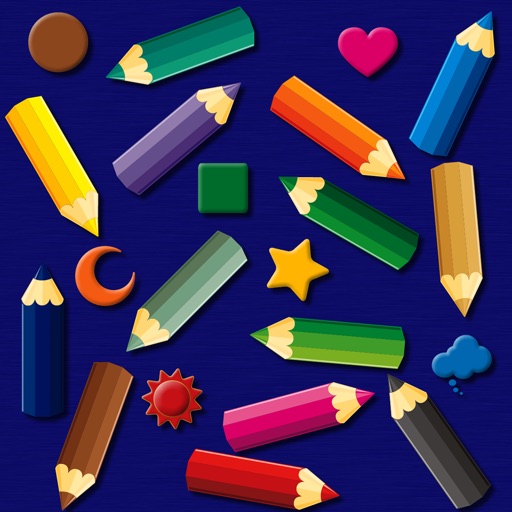
The app provides a simulated magnet board with 14 color pencils and 9 icons. Pictures can be erased by sliding a bar and saved to the photo library on iPad.
by bismark LLC★ 0.00 ratingsEducation$1.99Data updated 2026-09-14
Play a running game with drag-to-jump and slide controls. Avoid collisions with trucks and buses. Collect coins while navigating various scenarios. Purchase upgrades for power-ups like the magnet and jetpack.
Place number blocks on the board by sliding them from below. Group blocks to erase them and clear the board. Features include Stones, 1000 POINTS MODE, and 30+ different game modes.
Explore diamond characteristics using interactive sliding scales for color, clarity, cut, and carat weight. Read educational articles on diamond buying, including differences between natural and lab-grown stones.
Teaches simple arithmetic through addition and subtraction. Colors pictures by , shapes, and letters. Allows custom selection. Features a user-friendly interface and high-quality artwork. Lets children create their own palettes.
The app warps pictures, making them funny. Users can take new photos or select existing ones to modify by touching the screen or using a random button.
Play a puzzle game by sliding tiles to match numbers and score points. Avoid locking the board by combining numbers strategically. Track progress and compete to achieve higher scores.
Manage a scrapyard by crushing cars and cutting metal. Collect materials and use a magnet-equipped excavator to lift debris. Upgrade equipment, automate processes, and expand your operations. Track inventory and sell to increase profits.
The app provides custom-designed drawing tools that simulate real art supplies. Users can share their creations or save them for later, with options for interaction through likes and following.
Run through obstacles to guide animals to safety. Collect 35 adorable animals across 5 areas. Unlock over 40 heroes and complete challenging missions. Earn power-ups like rocket, giant, or magnet. Save more animals to strengthen power-ups.
Solve and color drawings in various themes like underwater scenes and jungle animals. Use brushes, pencils, and tools for coloring. Interact with sounds and backgrounds. Complete and create drawings. Save and share finished artwork.
Create and customize drawings with a variety of colors and tools. Select from themed images to color. Add sounds and animations to enhance interaction. Save and share completed artwork.
Convert photos to black and white drawings for . Import photos from device or camera. Add colors using painting tools. Create drawings on blank canvas. Premium version offers more paint colors, opacity control, and outline editing. Removes ads.
Educational allows children to color animated stories step by step. Includes painting tools and interactive elements to bring stories to life. Features updated books on various topics.
Play an set in a candy house by tapping to start. Solve puzzles in each room to . Progress is automatically saved. Clear cache to remove unnecessary data. Watch video ads for hints or answers.
Create and color images of animals like dolphins, bats, and lions. Use tools and brushes to customize artwork. Access a variety of pages and prompts. Save and share creations. Learn basic techniques through interactive lessons.
Create animated swirling patterns and kaleidoscope artworks. Select from various brush styles and color palettes. Adjust speed and symmetry settings. Save and share generated artwork. Relax through interactive, meditative visuals.