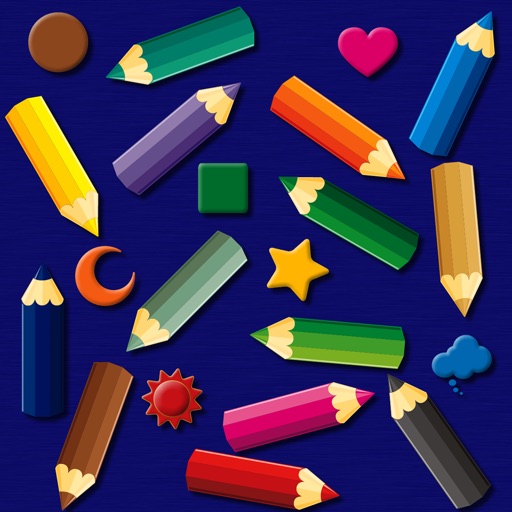
The app provides a simulated magnet board with 14 color pencils and 9 icons. Pictures can be erased by sliding a bar and saved to the photo library on iPad.
by bismark LLC★ 0.00 ratingsEducation$1.99Data updated 2026-09-14
Stream content from added M3U playlists with unlimited streaming and playlist management. Pause, play, and rewind videos. Search quickly and hide unwanted categories. Mark as favorites. Premium users get ad-free viewing and custom settings.
Read and interact with hand-drawn picture books featuring over 70 animated elements. Tap to trigger whimsical sounds and animations. Navigate through pages with a visible navigation bar. Explore interactive features that enhance storytelling.
Create custom " And ____" posters by editing text, selecting icons, and choosing backgrounds. Add drop shadows or strokes to text. Change text colors and icon colors. Save or share the final design.
For allow users to paint pictures of animals and vehicles. Features include selecting colors, erasing mistakes, and saving completed artwork. learn animal and vehicle names while improving fine motor skills through drawing activities.
PLAY AND LEARN EDUCATIONAL GAMES FOR KIDS PLEI END LERN EDYUKESHINAL GEIMS FO KIDS, TOO
Draw, color, and create cartoons
Create drawings using various colors and tools. Select from pencils and brushes to color favorite characters. Add interactive elements to animate drawings and tell stories. Explore themed scenes like rocket launches and space adventures.
Simulate combat with motion controls. Unsheath the blade by tapping the handle. Wave the phone to swing the saber. Stop motion to end attacks. Touch the blade to create sparks. Use translucent buttons on the right side for additional actions.
Play a -sliding puzzle game based on the 15-puzzle format. Arrange numbered tiles in order from left to right then down. Receive applause upon completion and submit scores. Tap to slide tiles and solve puzzles. Share scores and view progress.
The app offers tactical role-playing gameplay with intuitive touch screen controls for map manipulation. Loading times have been improved for quicker access to the game's strategic battles.
Create artwork with realistic pastel simulation using live-calculated brushes and strokes. Sketch or paint digitally, test compositions, and refine techniques without physical supplies. Save and share paintings directly.
Create and customize pages with effects and colors. Use virtual colored pencils, markers, and paints to fill in illustrations. Save and share completed artwork. Explore unicorn-themed characters and scenes. Color offline without internet connection.
Solve puzzles featuring dinosaur images. Select pieces and move them to correct positions. Progress is saved automatically. Includes relaxing visuals and a fun reward system.
Color by number game allows users to select and fill numbered sections with colors. Complete puzzles by matching numbers to colors. Choose from various themed images. Save progress and share completed artwork.
Let children color pictures and learn color names and shapes. Features include selecting colors, filling in areas, and identifying parts of images. Includes drawing tools and interactive color selection.
Teaches letters and basic words through interactive . Features animated illustrations, letter recognition exercises, and simple word matching. Includes a guided reading book with audio support.
Game for children allows users to select from 5 themed sets with 75 pages. Choose from pencils, brushes, paints, and various strokes. Add backgrounds and special effects. Save drawings and share them.
Learn to draw any subject with customizable color tools. Adjust settings for pencils, pastels, and brushes. Save artwork to camera roll and share on Facebook or Twitter.
Record using both front and back cameras simultaneously. Capture picture-in-picture footage with one camera. Save videos to the photo library for easy management, sharing, and deletion. Enable night mode for improved lighting.
Can and color with tools like pencils, brushes, and crayons. They can create paintings of animals, fruits, and vehicles. Includes pages for princesses and toddlers. Features a drawing book and creative doodling options.