Apps Like iCorrect® OneClick Color for iPhone and iPad
OneClick technology brings photos to life.
The app automatically corrects color balance and exposure with the option to fine-tune adjustments. It allows users to convert images to black and white or sepia tones and supports Wide Gamut displays.
by FreshAir Software Inc.★ 5.03 ratingsPhoto & Video$3.99Data updated 2026-09-14
Edit videos with effects, transitions, and filters. Add subtitles in various fonts and animated text. Include motion stickers, background music, and AI cutout features. Create slideshows and trim clips for vlogs and social media content.
Create collages using over 50 templates. Customize layouts, add text, and include photos or videos. images with filters, cropping, and manual adjustments. Shoot photos with manual camera controls. Export and share edited content in various formats.
Offers manual camera controls for iPhone, including shutter speed, aperture, ISO, and focus. Users can adjust exposure, white balance, and metering. high-quality with customizable settings. Save and share images directly.
Create professional videos with AI-generated subtitles and over 40 cinematic . Add automatic speech-to-text, customize fonts and colors, animate words individually, and apply pre-designed animations. Export and share finished videos directly.
Capture with real-time live effects and color presets. Apply adjustable effects and enhance colors simultaneously. Use screen flash for better results in low light. Share directly from the .
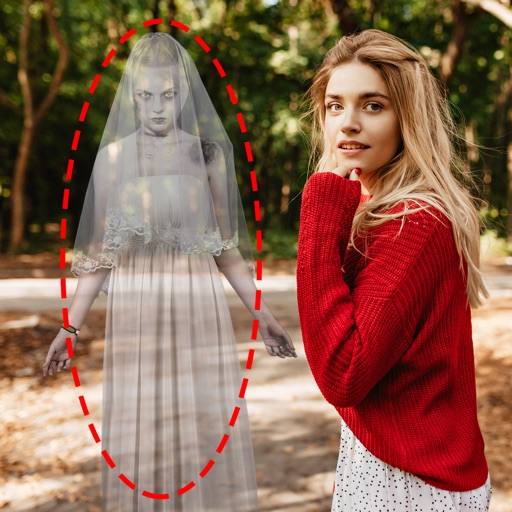
Edit photos by adding ghosts, monsters, or zombies from 62 options. Adjust transparency, color, saturation, brightness, and contrast for each creature. Position and resize creatures freely. Share finished photos with friends.
Create animated from videos, live photos, or continuous shots. Automatically rotate photos. Edit and customize . Share directly with friends or social media platforms.
Edit photos by removing backgrounds with AI and replacing them with 250+ options. Apply 300+ ready-to-use templates. Add effects and adjust colors. Save and share edited images directly.
Edit photos with brightness, saturation, and contrast adjustments. Add text, stickers, and memes. Crop, rotate, and straighten images. Apply effects and frames. Sharpen or blur photos. Import images from the camera roll. Fix red tones.
Apply blur to portraits for a blurred effect. Adjust blur intensity and tweak brightness, temperature, tint, and saturation. Use live filters during editing. Export edited photos directly.