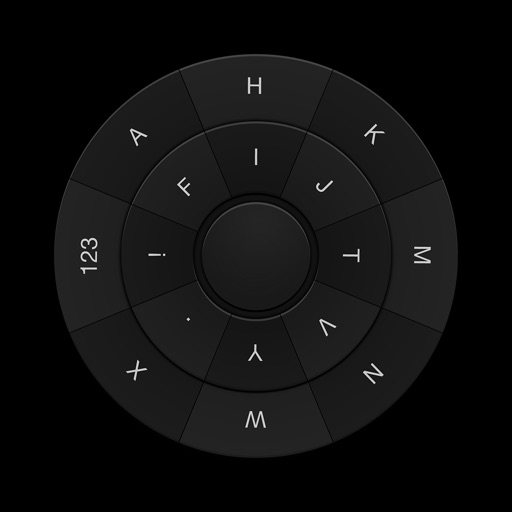
The app allows users to enter text using Morse Code by tapping a knob. Users can adjust the Morse Code speed from 5 to 45 WPM and choose between straight key or iambic keying modes.
by Ronald Nicholson★ 1.01 ratingsUtilities$0.99Data updated 2026-09-14
Store and manage cryptocurrencies securely without internet connectivity. Sign transactions via QR codes. Access wallet addresses and view balances. Transfer funds to other wallets using QR codes. Sync with companion apps for additional features.
Transforms text into original content using AI. selected text within any . Ensure writing is clear, concise, and plagiarism-free. Edit text directly without leaving the current application.
Allows users to copy and save frequently used text for quick access. It includes a customizable for pasting saved messages. Users can add, edit, and organize text entries efficiently.
Bill amounts with on-device text recognition. Adjust tip percentage and split the bill. Calculate total automatically. Share results via Messages, Mail, and other apps. Includes flashlight button and supports Dark Mode.
Read text files including txt, epub, pdf, and html on your . Turn pages by tapping or using the knob. Set font and color preferences. Record reading position and preview content before sending from your iPhone.
Words in printed text by pointing a finger at them or using a pointer. View translations instantly. Highlight and save translated words for later reference. Share translations via text or social media.
Unlock real-time video calls with one-tap connectivity. Setup via QR code for instant pairing. Access headset controls and settings directly from the . Manage notifications and adjust audio settings on the fly.
Provides AI-powered text generation, translation, and editing. It fixes spelling and grammar, adjusts tone, and answers questions. It works across apps, supports over 50 languages, and streamlines communication without switching apps.
The app presents a typewriter interface on an iPhone or iPod Touch. Users can manage documents, email content as text or images, and utilize features like a backspace key and external keyboard support.
Learn Cangjie input method with structured courses and practice challenges. Access over 30,000 Chinese characters and their codes. Use Cantonese Pinyin for input. Search characters by stroke order.