Take photos or load images from the library. Add handwritten notes and drawings. Apply filters. Enlarge images for detailed editing. Save original files and multiple sizes. Share via email. Paint on images without access.
by Hiroyuki Fushida★ 3.01 ratingsPhoto & Video$1.99Data updated 2026-09-08
Edit photos with effect and features. backgrounds and apply black-and-white conversion. Select areas for contrast. Zoom with two-finger pinching. Adjust brush size, opacity, and offset. Export edited images.
Add borders to photos with tools for brand logos like Leica, Hasselblad, and Canon. Automatically read photo metadata. Export original images and restore photo texture.
Take photos and videos remotely using AirSnap, a feature that lets you control the from your phone. Adjust settings like focus and exposure. Edit images with cropping, filters, and adjustments. Share directly from the .
The app enables users to take high contrast photos based upon available light. It makes shooting discreet photos easier for capturing scenes without drawing attention to the camera.
Take photos in low light with a minimalistic interface. Adjust screen brightness and color temperature. Apply filters for film and sensor simulations. Capture images in dim environments without external lighting.
Take photos with adjustable resolution options for different styles. Compare templates during shooting for reference. Choose from various photographic styles including classical and HD formats. Adjust settings for sharpening and resolution.
The app functions as a light table for reviewing photographic film or artwork. Users can adjust brightness by swiping two fingers and modify drawing colors and stroke width with a long press.
The app creates unique photo compositions by combining two images from a user's camera roll. Users can also apply filters to existing photos to generate new compositions.
Remove similar color backgrounds from images and save transparent versions to the camera roll. Erase using finger or wand tools. Zoom and rotate with two fingers. Crop photos and share to other apps.
Apply AI-powered filters to photos and videos. Transform images into anime, Pixar-style, or claymation art. Access 50+ creative filters for different art styles. Add animated effects to photos. Share edited content directly.
Edit photos with splash effects, convert images to black and white, or apply custom colors. Add filters, zoom in on photos, and use a brush tool. Export and share edited images directly.
Take selfies with pip effects and apply filters like sepia and vintage. Create collages and edit photos with various effects and frames. Select images or capture new ones and enhance them with pip features. Share edited photos directly.
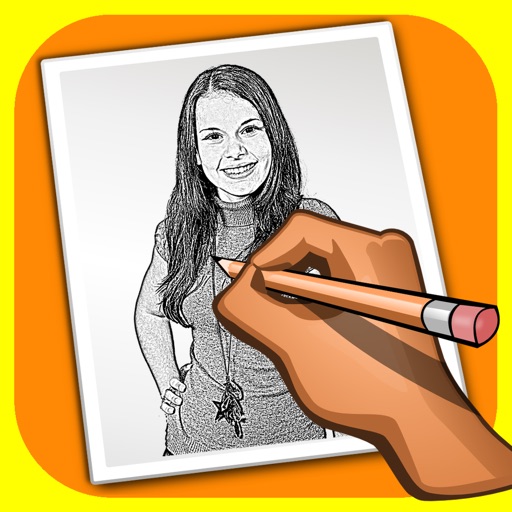
The app transforms user photos into pencil drawings with a sketch shine effect. Users can apply this filter to images captured with the device's camera.
Create and apply romantic to personal images. Select from themed Day designs. Share edited photos directly with contacts. Add text overlays to personalize messages. Save and export framed photos in various formats.
Create twin-style photos by applying mirrored filters and effects to selfies. Swap faces in images and videos. Share edited photos directly to social media platforms. Add captions and stickers for humor.
Create and apply with military-themed designs to commemorate Day. Add text and decorations to photos. Share edited images on social media or via email. Include patriotic effects and background themes.
The app adds depth of field to images, creating realistic blurs with Bokeh effects. Users can adjust blur amount, paint focus areas, and share creations on social media or save them.
Allows users to remove multiple photos and videos from their . Select items with a tap or swipe to quickly choose multiple files. based on time intervals or manually select specific files.