The app features large, easy-to-read keys for fast input and a permanent display of the user's expression. Results appear automatically as typing occurs, eliminating the need for an equals key.
by Andre Ponzo★ 4.84 ratingsProductivity$1.99Data updated 2026-09-12
Create and display custom text on LED screens with various font styles and colors. Adjust font size and apply solid color backgrounds. Set individual word colors and choose from multiple font effects. Share content for live events or personal use.
Lookup and IP information with WHOIS. Access over 1000 extensions including new ones like .actor and .clinic. Query classic and new TLDs. Support for ARIN, RIPE, APNIC, LACNIC, AFRINIC, and referral servers. Automatically select whois servers.
The app offers a large number pad and result display for performing basic calculations. Users can add, subtract, multiply, divide, and calculate percentages.
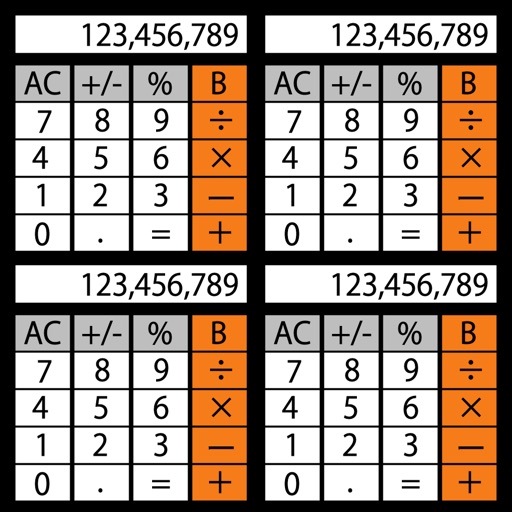
Allows users to perform basic and advanced mathematical operations. It includes a sidebar and tab bar for navigation and data sharing. Users can drag and drop entries to create new windows or use the context menu to generate new windows.
Perform calculations with automatic result display as you type. Execute basic operations including addition, subtraction, multiplication, and division. Calculate percentages and clear inputs easily.
The app provides step-by-step solutions for math problems from pre-algebra through calculus. It includes a scientific calculator, graphing calculator, and a user-friendly editor for inputting problems.
Perform calculations by swiping to switch between operands. Tap operators to initiate operations. calculation steps with a back button. Input values above operators for clarity. Track previous steps for review.
The app provides guidance for solving algebra homework and textbook problems. It includes over 1200 sample problems with animated solution steps and supports scientific and graphing calculators.
Calculate with personalized themes and scientific tools
Perform calculations with a scientific for advanced math. Customize themes and colors. Use split-screen mode for multitasking. Record calculation steps automatically. View historical records for data retrieval.
Allows users to perform basic arithmetic and advanced scientific calculations. It supports trigonometric functions, logarithms, and exponents. Users can switch between simple and complex modes. The features a clean interface and customizable themes.
Allows users to perform complex calculations with a natural equation entry system. It supports split screen, wireless keyboards, and Apple Watch integration. The displays full equations in real time and offers dark mode for enhanced readability.
The app offers scientific functions accessible by swiping between exponents, logs, and sinus functions. Users can correct entries with a backspace key, copy and paste numbers, and customize backgrounds and digits.
Allows users to perform basic calculations with a large, easy-to-use interface. It includes a tape for reviewing entries, adding comments, and timestamping transactions.
Calculator++ displays expressions in real-time and maintains a calculation history. It supports fraction operations, unit conversions, and advanced functions. Users can graph equations and perform complex calculations.
Learn and practice language skills through interactive animations and AI-driven lessons. Complete exercises to improve expression and logical thinking. Track progress with structured, science-based content and receive instant feedback.