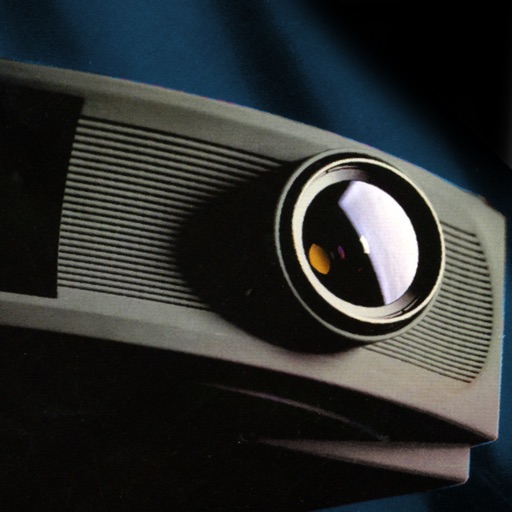
Calculate panoramic image size based on screen dimensions and projector resolution. Switch between automatic and manual modes to adjust projector count and overlap. Generate optical reports and power calculations in square meters or square feet.
by piXap★ 5.01 ratingsUtilities$5.99Data updated 2026-09-08
Convert videos and pictures into panoramic 180° or 360° formats for VR viewing. Enable automatic background removal and playback in mixed reality. Adjust view frame size and spacing. Control with Bluetooth handles, mice, or buttonless triggers.
ContractorCalculator helps users perform on-the-go calculations for square footage, measurement conversions, and fraction math. It supports trade-specific tasks like amps to watts and wire size.
Monitor and control live video streams from cameras and encoders. View up to 16 split screens for live preview. Instant cloud access for CP PLUS DVR/NVR and IP cameras via QR code scanning.
Perform basic and advanced calculations including addition, subtraction, multiplication, division, and exponents. Convert units between degrees, radians, and grads. Switch between standard and scientific modes.
Perform calculations with basic arithmetic, fractions, and advanced functions. Store calculation history for review. Switch between light and dark modes. Use HD display for clear results. Adjust layout for easier input.
Calculate , topsoil, dirt, or landscaping material needed for projects. Input dimensions for rectangular, circular, or custom areas. Enter measurements in inches, feet, yards, centimeters, or meters.
Calculate and man-hours needed for a room by inputting wall dimensions and subtracting areas for windows and doors. Estimate volume based on wall surface area and coverage rate. Save calculations and view detailed breakdowns.
Capture moments with filters and cinematic effects
Capture photos with full manual controls over shutter speed, ISO, and white balance. Apply 35mm filters inspired by Kodak, Fuji, and Agfa. Use cinematic effects to enhance images and preserve memories as -style photographs.
Manage smart home devices with remote control, automation, and scene setup. Adjust lighting, power, and security settings. Use FastCon for quick device pairing. Monitor sensors and control IR/RF devices. Set triggers for automated actions.
Calculate percentage and jam probability based on NEC standards. Input type, size, and conductor details. View percentages and determine appropriate sizes for electrical installations.
Calculate PPI by inputting screen dimensions and pixel count. Explain PPI vs DPI and dot pitch. Provide formulas and resolution categorization. Include definitions and user comments on related terms.
Allows users to measure and calculate dimensions using feet, inches, and sixteenths. Input tape measure data directly for accurate conversions. Calculate angles and verify corners without manual calculations.
Perform arithmetic calculations with 12 digits. Calculate tax, percentages, and cost, selling price, and gross margin. Use memory functions, square root, and sign change. Track grand total.
Calculate electrical values using formulas for voltage, current, resistance, power, and more. Determine wire size and voltage drop. Perform transformer and generator calculations. Convert between electrical units.