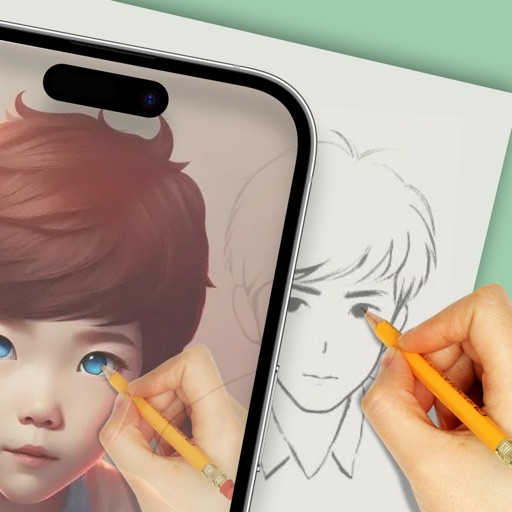
The app analyzes and redraws photos from scratch, creating pencil sketches of remarkable quality. Users can explore art possibilities with simple controls and save creations in 4K resolution.
by Studio Mee★ 4.515 ratingsPhoto & VideoFreeData updated 2026-09-11
Create calligraphy, customize styles, save and share
Create Arabic-style calligraphy with customizable styles and colors. Design with vector shapes and adjust curves. Align text or shapes using alignment tools. Adjust layer order to bring elements forward or send them back.
Create unique avatars using AI by uploading photos. Generate AI videos with customizable styles and settings. Enhance image quality with AI-powered improvements. Combine photos to form stylized representations of people in various scenarios.
Create interactive experiences using simple text input. Describe ideas for games, tools, or stories and let AI generate them. Explore a gallery of user-created AI-powered content. Collaborate with other creators in a community-driven environment.
Create digital artwork using drawing tools and customizable templates. Access categorized sketch ideas for different skill levels. Save and share drawings directly. Adjust brush settings and layer options for detailed artwork.
The app transforms photos into surreal art with 15 animated effects like comic-book ink, VHS, and glitch. Users can import photos or use the camera to capture images and apply real-time, on-device rendering.
AI Art lets users create digital artwork using AI. Input text or sketches to generate art. Choose from various styles and color schemes. Adjust details to refine the output. Save and share the final artwork.
Generate images from text using AI. Customize colors, styles, and details. Export and share creations. Access a library of AI-generated art. Collaborate on projects in real time.
Draw sketches using brushes and tools with support for Apple Pencil. Create layered artwork and zoom for detailed painting. Import and export vector images in PDF, PNG, and JPEG formats. Use color or photo backgrounds. Save artwork for later.
Edit photos with HDR effects, filters, and detailed adjustments. Enhance images with powerful lighting and contrast tools. Save and share edited photos in various formats.
Use augmented reality to draw on any surface. Create sketches with AI-assisted tools. Select and customize NFT images from your phone gallery. Export drawings in various formats. Share artwork directly from the .
Apply filters to photos for pop art, monochromatic, or ink drawing effects. Adjust color palettes from 90+ options. Import and export photos unlimitedly. Share edited images directly. Create stencils for silk screening.
Convert images and videos to emulate retro computer and console visuals. Apply pixel art filters for Commodore 64, IBM PC, ZX Spectrum, Amiga, Atari ST, Sega Mega Drive, Game Boy, and more. Adjust color palettes and resolution settings.
Create automatic pencil sketches by drawing strokes on a blank canvas. Generate detailed artwork with minimal input. Export sketches in various formats and share directly.
Upload photos, get hand-drawn fashion illustrations
Upload a photo to generate a hand-drawn fashion illustration. Choose customization options like color and style. Receive a unique artwork as a digital download or physical print. Share the via social media or email.
Create art with a wax simulator that mimics real-life drawing. Adjust stroke size based on finger contact area for precise control. Draw thin lines with fingertips or broad strokes with full finger pressure.
Convert photos to style with 16 customizable masks. Adjust colors and settings for detailed control. Save high-resolution artwork for print. Share creations socially. Supports iPhone, iPad, and iPod touch.