Create QR codes with customizable colors, shapes, and designs. Add text, images, and logos to personalize codes. Share QR codes via link or image. Integrate with social media and websites. Track scan statistics and analytics.
Generate QR codes for links, social media, and text. Read any QR . Customize designs. Share QR codes with others. Scan multiple codes at once. Enhance productivity through batch scanning and organization features.
Track running laps and distance using barcodes or QR codes. Display lap counts and total distance per student. Scan with iPhone or iPad. iPad can function as a self-scanning station with front camera.
View real-time METAR and TAF data for airports, sea plane bases, and heliports. Search by name, ICAO, or IATA code. Display nearest, all, or favorite locations on an interactive map. Add or remove favorites. Track weather conditions and forecasts.
The app fetches and decodes preflight weather reports, including METAR and TAF. It allows users to discover airports, manage selected weather stations, and view up-to-date reports on one screen.
Allows users to read and clear engine diagnostic trouble codes, view existing vehicle licenses, access user guides, and analyze prior datalogs. It does not support new vehicle models or features.
QR codes and barcodes to retrieve product information quickly. Save history and perform batch scans. Use flashlight for low-light scanning. Create custom QR codes for websites, emails, phone numbers, and Wi-Fi.
Scan QR codes and barcodes including UPC, Code39, EAN13, EAN8, Code93, Code128, PDF417, Aztec, and ITF14. Use scan with autofocus or photo scan to read codes from images. Generate QR codes and barcodes. Activate flashlight during scanning.
Decode QR codes and barcodes by pointing the camera at them. Scan texts, links, contacts, emails, and locations. Create custom QR codes. Manage scan history, save important data, and search through past scans.
Generate QR codes from personal details like contact information or URLs. Share codes via -to- or -to-camera. Scan QR codes to retrieve embedded data such as text, URLs, or contact info.
Create QR codes for websites, contacts, locations, Wi-Fi, and more. Customize with colors and designs. Add logos or images for branding. Scan QR codes or barcodes. Search products online via barcode scanning.
Scan and decode USPS Intelligent Mail Barcodes using the device's camera. Display plain text breakdown of barcode data. Only supports IMb barcodes, not POSTNET or other types.
Record incident descriptions using AI-powered audio analysis. Access relevant sections of state criminal and vehicle codes instantly. Retrieve legal information quickly for accurate reference during investigations or legal proceedings.
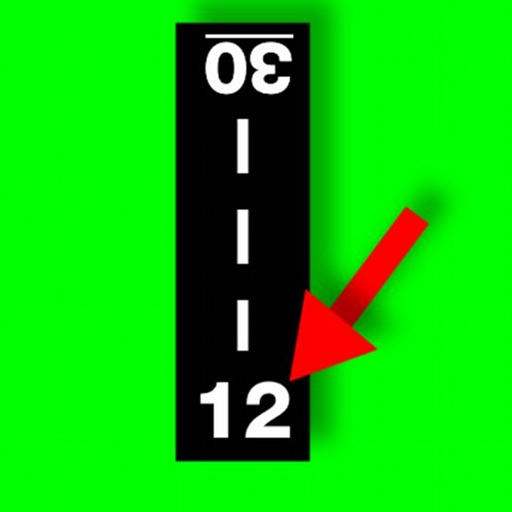
Calculate wind components, temperatures, altitudes, and airspeeds. Input runway number, wind direction, and speed. Determine headwind, tailwind, and crosswind values. Adjust for parallel runways based on magnetic heading.
Scan QR codes and barcodes to retrieve product information. Avoid potential stranger danger by scanning unknown codes. Access Wi-Fi networks quickly using scanned data. Save a history of scanned items for future reference.
Generate QR codes for text, URLs, phone numbers, contacts, messages, emails, WiFi credentials, calendar events, and map locations. Share or save QR codes directly. Create social media optimized codes for links and profiles.
Authenticate accounts with two-factor authentication. Scan QR codes for quick setup. Use time-based one-time passwords. Support Face ID for secure access. Manage OTPs for multiple services. Include built-in password manager and AutoFill.
Access airport information including runway details, facility data, and operational hours. Search by city, name, or code. Save favorite airports and set a home base for quick access. Browse airports by continent, country, and region.