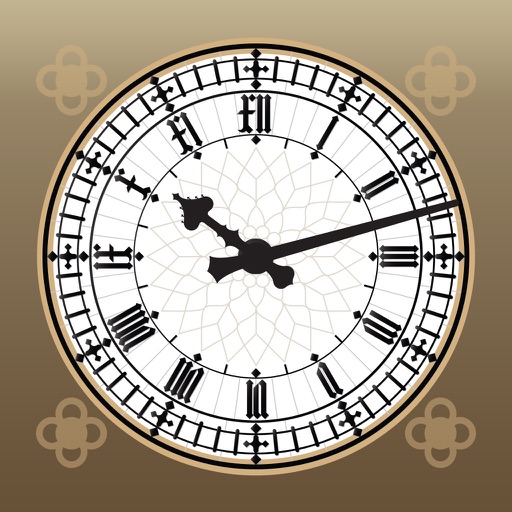
The app offers a clock with a clean interface and customizable appearance. Users can choose display colors, select 12 or 24-hour time, and opt to display seconds.
by sushiGrass★ 4.910 ratingsUtilitiesFreeData updated 2026-09-11
Create images, drawings, and paintings with customizable brush settings including thickness, color, transparency, and dynamic intensity. Sketch and modify simple graphics for logos, clothing, hairstyles, and more.
Display current temperature, humidity, wind speed, direction, feels like, and pressure. Update data every 10 to 30 minutes. Set alarms with customizable settings. View large digital or analog faces. Choose from various themes and adjust settings.
Turn your iPhone or iPad into a functional watch with a always-on . Adjust brightness manually. Set countdown timers up to 24 hours. Use Pomodoro Technique with 25-minute intervals and 5 or 10-minute breaks.
Add widgets to your home screen to display news, weather, calendar events, and more. Customize styles and colors. Easily add, remove, and adjust widgets through a simple interface.
Provide turn-by-turn navigation with real-time GPS and live traffic updates. Compare multiple routes by time and distance. Recalculate routes dynamically as you drive. Control music, contacts, and other vehicle features from the iPhone interface.
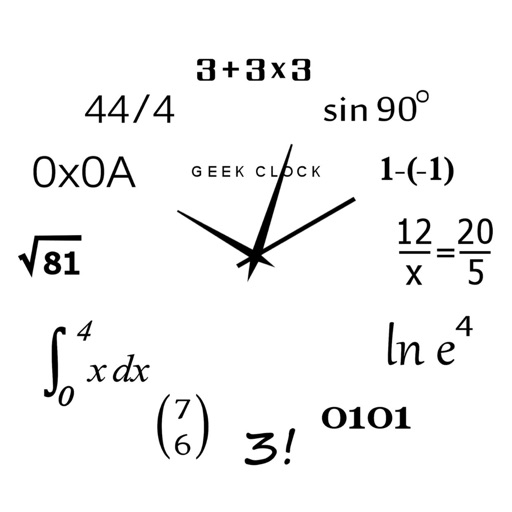
Display time using math problems instead of numerals. Switch between horizontal and vertical layouts. Toggle day and night themes. View animated quotes related to culture. Solve equations to reveal time.
Customize desktop appearance with 20 wallpapers including nature and space themes. Hide desktop icons to conceal clutter during presentations. Display a large clock on the desktop.
A full-screen replaces traditional sand timers. Users can set time intervals, choose sounds for alerts, and customize the display. The runs silently or plays chimes or air horns.
Stabilize videos by selecting from the photo library and adjusting settings in real time. Apply algorithms to reduce shaking. Export stabilized videos directly to the device.
The app displays the time of day with options for a digital clock, a seconds hand, and tick-tock sounds. It can also chime every quarter hour and toll on the hour, with sounds playing even when the app is closed if notifications are allowed.
Turn your iPhone into a , angle gauge, and measuring . Check if surfaces are or plumb. Get real-time tilt readings in degrees. Calibrate to align with objects. distances using the device's sensors.
Select and apply unique to images. Choose photos from gallery or camera. Rotate and scale as needed. Save, share, or set photos in gallery. Display all saved photos in a list.
Wake up to sounds of cat food cans opening and kittens meowing. Fall asleep to mice squeaking and kittens purring. Customize tones and sleep sounds. Adjust volume and set recurring alarms. Track sleep duration and wake-up times.
Display current time, date, day of the week, and battery percentage on home screen. Customize and themes with multiple background and font options. Choose from three sizes. Add to home screen and update as needed. Requires iOS 14.
Displays events from your device's native calendar with a customizable layout. Users can view, edit, and manage events directly. Syncs automatically across devices. Offers customizable themes and event reminders.
A minimalist flip clock displays time in a full-screen format. Users can swipe left or right to toggle dark theme. A single tap hides or shows seconds. No advertisements or in- purchases.