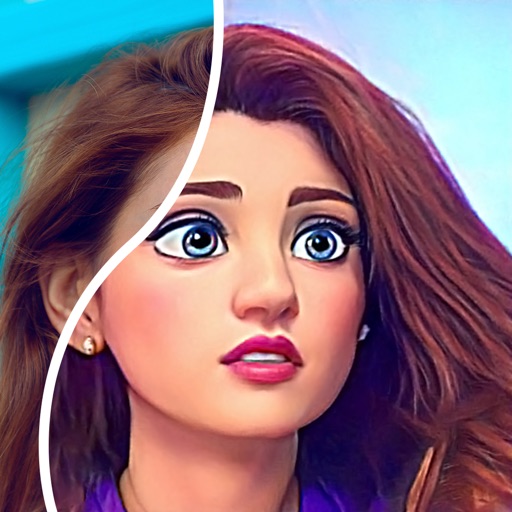
Create comic books by selecting page templates or designing custom layouts. Add photos from the camera or album, or create drawings. Apply filters, balloons, stickers, and warped 3D lettering. Share completed comics with friends and family.
by Jens Egeblad★ 4.973 ratingsPhoto & Video$3.99Data updated 2026-09-30
The app creates unlimited collages with a single tap using a SmartSorting algorithm. Users can import photos, select modes, and apply various styles, text, backgrounds, filters, and stickers.
The app converts photos into comic book drawings with thick outlines and bold colors. Users can choose from five comic styles and add custom messages to speech bubbles.
Create collages by merging up to 20 photos with frames, stickers, and text. Adjust borders, add pattern backgrounds, and use shapes for flyers and posters. Share creations on Facebook, Instagram, and other social media.
Create collages by combining photos, text, and stickers in various layouts. Choose from over 200 styles and adjust orientation. Add text with multiple fonts and tags. Share collages directly with friends or include location details.
Create thumbnails and intros for YouTube videos using 500+ templates. Add text with 200+ fonts and effects. Use 2000+ stickers and 500+ backgrounds. Remove photo backgrounds with AI cutout. Upgrade for advanced tools and materials.
Create collages, cards, and albums using photos. Select from hundreds of templates and customizable grids. Add backgrounds, frames, and text. Edit images with cropping, filters, and adjustments. Share finished projects directly.
Create collages by combining multiple photos from the gallery. Choose from various frames and themes. Apply filters to enhance images. Share collages directly to social media platforms. Edit individual photos with cropping and adjustment tools.
Create photo collages and video slideshows with customizable layouts, colors, and patterns. Add text, filters, and music. Edit photos with object removal, skin softening, and blur effects. Include stickers, outlines, and background adjustments.
Create posts and stories with customizable templates, illustrations, and fonts. Edit photos and videos to fit layouts. Share directly to . Adjust colors, text, and graphics for personalized feeds.
Resize photos to format without cropping. Apply filters, add text, emoji stickers, and customize background effects. Share directly to social media platforms.
Add text to photos with customizable shapes, adjusting height, width, color, and border. Design and share text overlays on images. Create social media posts, wallpapers, stickers, and event invitations. Export and share designs directly.
Transform photos into cartoons, comics, or illustrations using live camera preview and filters. Edit images with adjustment tools and add text. Export high-resolution images. No advertisements.
Convert photos into comic styles using AI algorithms. Edit avatars with retouching tools. Access various comic templates. Apply filters and adjust images for effects. Share edited images directly.
Edit photos with AI-powered enhancement, unblurring, and sharpening. Remove objects and restore old images. Convert photos to pixelated or HD formats. Create AI-generated cartoons. Share edited images directly.
Create social media graphics using professionally designed templates. Adjust layouts, add text, images, and videos. Export in various social media sizes. Customize templates with editing tools. Share directly to platforms.
Create Instagram feeds and stories with customizable templates. Adjust layouts, add text, and apply filters. Export posts and stories directly. Sync with Instagram for seamless sharing.
Create or print cards without design experience. Add logos via AI, customize fonts, colors, and photos. Share via QR code or link. Save to Apple Wallet for easy access. Print or distribute instantly.