Convert paper documents to clear, high-quality scans. Save as PDF or image files. Share scans directly via email or messaging. Edit and annotate scanned documents. Organize and search saved files. Print scans from any device.
by MobiTech 3000 LLC★ 4.913,916 ratingsProductivityFreeData updated 2026-09-08
Print photos, PDFs, and documents directly from iPhone, iPad, Macbook, or iMac. Connect to compatible printers via AirPrint. Share files from photo library, email, or cloud storage. Print web pages and documents wirelessly. Support for major brands.
Convert documents to high-quality PDFs by scanning with the device's camera. Edit scanned pages, add notes, and share files via email or cloud services. Organize and annotate PDFs directly within the .
Scan and edit PDF documents using camera scanning. Fill out form fields, markup, and highlight content. Sign documents with a signature. Save, organize, and print PDFs via Wi-Fi. Supports AirPrint and auto-crop features.
Create and manage PDF documents by scanning, editing, and signing files. Extract text from PDFs and import various file types. Reorder, rotate, duplicate, or delete pages. Scan multiple pages at once with smart edge detection.
Documents into clear PDFs by capturing paper records with your device. Edit pages to trim, rotate, and rearrange content. Sign and distribute completed documents directly from your phone.
Convert physical documents to high-quality PDFs by scanning with the camera. Correct image distortion using smart calibration. Export scans and share files directly.
Smart Photo Cleaner scans iOS gallery to find duplicates and similar images. Users can compare matches side-by-side, delete duplicates with one tap, and free up storage. All processing occurs locally without data upload.
Turn phone into a document to convert papers into PDF files. Use OCR to extract text from images and save as searchable files. Scan documents, save as PDF, and share digitally.
Scan paper documents into digital format using mobile device camera. Save as multipage PDF or JPEG. Edit documents, add e-signature, and recognize text in scanned files. Share documents directly via email or cloud services.
Scan documents using the camera and convert to common formats. Edit, annotate, and sign files. Organize and store documents in local or cloud folders. Share files with others. Print, fax, and email documents.
Print documents wirelessly to AirPrint-enabled printers. Scan and convert documents to PDF. Add e-signatures to files. Share scanned documents via email or cloud services. Organize and manage files in a centralized digital workspace.
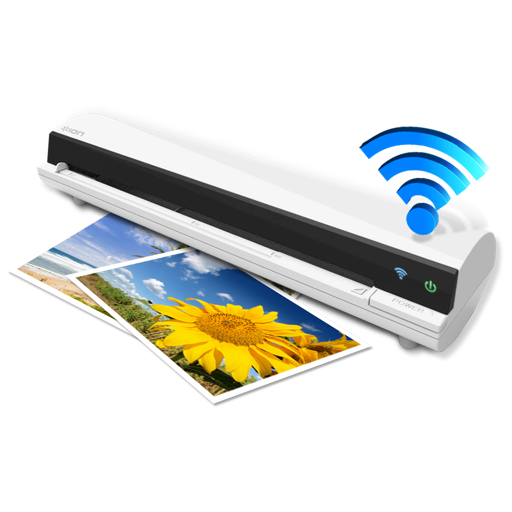
The app works with the ION Air Copy hardware, a portable Wi-Fi scanner. It scans photos, receipts, business cards, notes, and documents up to US Legal size directly to a Mac, then shares them via email or social networking.
Convert PDFs to JPG, Excel, and Word formats for easy editing and sharing. Scan documents directly with high-resolution imaging. Organize and manage files within the . Export converted files and share them across devices.