Apps Like JotNot Scanner App Pro for iPhone and iPad
Scan, save, and share documents
Convert paper documents to high-quality PDFs with advanced image processing. Scan and save documents for printing or digital storage. Share scanned files via email or cloud services. Organize and manage scanned documents within the .
by MobiTech 3000 LLC★ 4.930,433 ratingsBusiness$6.99Data updated 2026-11-29
Documents with instant edge detection, auto-cropping, and perspective correction. Convert to searchable PDFs with high-quality export. Edit, annotate, and share documents with minimal taps.
Convert photos, receipts, and notes into professional PDFs. Automatically detect document edges, remove backgrounds, and straighten pages. Save as PDF or image formats. Share or email scanned documents directly.
Scan documents by capturing images with a smartphone, tablet, or wearable device. Edit scanned pages, adjust brightness and contrast, and save files in PDF or image formats. Share scans via email or cloud services.
Photos, files, and scans into PDFs with one tap. Combine multiple items into a single document. Edit and rearrange pages. Save and share the final PDF securely.
Import photos or files from gallery or cloud storage. Scan documents for digital copies. Edit PDFs with basic formatting tools. directly to connected printers or share via email. Manage queues and adjust settings.
The app downloads scanned images from compatible wireless scanners to an iOS device. Users can then edit, optimize, save, or share these documents directly from their device.
Scan documents, receipts, notes, and business cards to create high-resolution images. Use auto detection to optimize scans. Convert scanned images to searchable PDFs with OCR technology.
Scan using your smartphone camera for high-quality, sharp images. Save and organize scanned files in cloud storage. Share via email or messaging. Print scanned using Air feature. Manage files with sorting and folder options.
Scans QR and barcodes to extract text, URLs, contact info, and more. Decodes Ali Payment and documents. Browse deals from scanned content. Share decoded information via copy or social media.
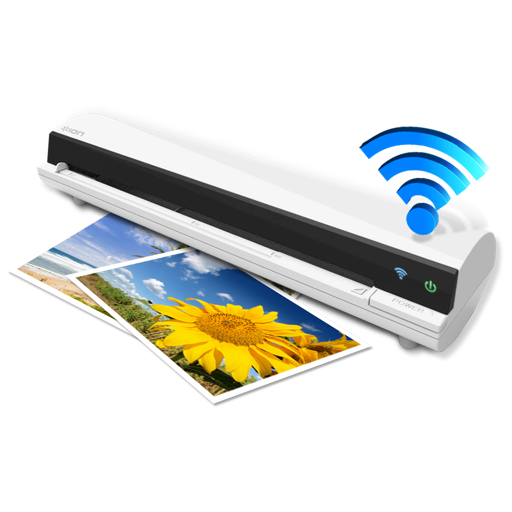
The app works with the ION Air Copy hardware, a portable Wi-Fi scanner. It scans photos, receipts, business cards, notes, and documents up to US Legal size directly to a Mac, then shares them via email or social networking.
Convert photos and images into editable PDFs with automatic formatting. Organize files into folders and rename them. Secure documents with password protection and encryption. Share PDFs via email or cloud services.
Scan documents using phone camera for OCR text recognition. Save scanned files as PDFs. Share documents via email or messaging. Organize and store files directly on device. Edit and annotate scanned pages. Export in multiple formats for easy access.