
KYOCERA Mobile Print
Kyocera Document Solutions Inc.
Print and scan with KYOCERA devices.
The app discovers KYOCERA printing devices on a local Wi-Fi network. Users can print photos and documents, scan to their device, and send email attachments.

Edit , manage files, share links
Edit and manage spreadsheet and rich text on iPhone or iPad. Work online or offline. Sync files to Google Drive, Dropbox, Box, or SkyDrive. Open files on PC or Mac.
Showing 301–320 of 1,000 ranked alternatives.
Kyocera Document Solutions Inc.
Print and scan with KYOCERA devices.
The app discovers KYOCERA printing devices on a local Wi-Fi network. Users can print photos and documents, scan to their device, and send email attachments.

Laxay Gajera
Read, edit, and share PDFs
Read, annotate, sign, and convert PDFs. View and fill PDF forms. Share files via email or cloud. Sync with Google Drive, Dropbox, and OneDrive. Edit text and images within PDFs. Combine multiple PDF documents. Create and save PDF files directly.
Mohit Rudani
PDFs and view documents on the go
Read and annotate PDF files with highlighting and note-taking. Search text within documents. Export pages as images or other formats. Share files via email or messaging. Support for PDF forms and password-protected documents.




兰桂 吴
Unarchive files in multiple formats
Unarchive files in .zip, .rar, .7z, .bz2, .tar, .gz, and other formats. Open password-protected archives. Create .zip files from multiple files or entire directories. Transfer files via Wi-Fi or iTunes. Upload multiple files to cloud services.

AppBlit LLC
Highlight web pages and documents easily.
The app allows users to highlight web pages, PDF, Word, and Powerpoint documents. It synchronizes these highlights and comments to iCloud and offers organization through folders.

EuroSmartz Ltd
Print from iPad to any printer.
The app allows printing to all printers via a Mac or PC, or directly to WiFi printers. It supports printing emails, attachments, web pages, documents, contacts, calendars, and cloud server files.

Timo Josten
Share files via download URL
Upload and share files, photos, and videos via download URLs. Connect to cloud storage services like Amazon S3, Google Cloud Storage, and others. Transfer files directly from iOS devices to supported storage providers.

Edward Peterlin
Office suite for macOS documents
The app is an office suite for macOS that allows users to view, edit, and save older OpenOffice and LibreOffice documents. It includes macOS features not found in OpenOffice or LibreOffice, such as native tabs and full-screen mode.

Wuhan bayesian network technology co., LTD
, convert, and share documents
Documents, receipts, and notes to create PDF or JPG files. Use OCR to convert text from images. Edit scanned text and convert handwriting to text. Restore old photos and ID cards or passports. Share or save files in PDF, JPG, or TXT formats.


Viewer Central Inc
Open and edit MS Project plans
View and edit MS Project plans in MPP format. Open files from cloud services like Google Drive, Dropbox, and OneDrive. Save and share project schedules. Track tasks, durations, and dependencies. Sync with Microsoft Project versions up to 2003.

BitsAbound Inc
Documents, receipts, and notes
Documents, receipts, and notes as multipage PDFs. Add and manage signatures on any page. Resize, move, or delete signatures. Save and email files. Upload to Dropbox, Google Drive, or One Drive. Auto-detect document edges.

Jian Jin
Convert documents to PDF securely
Convert photos and office documents like Word, Excel, and PPT to PDF. Fill out interactive PDF forms with text, checkboxes, and radio buttons. IDs, passports, and bank cards to create PDF files.
Tu Phan
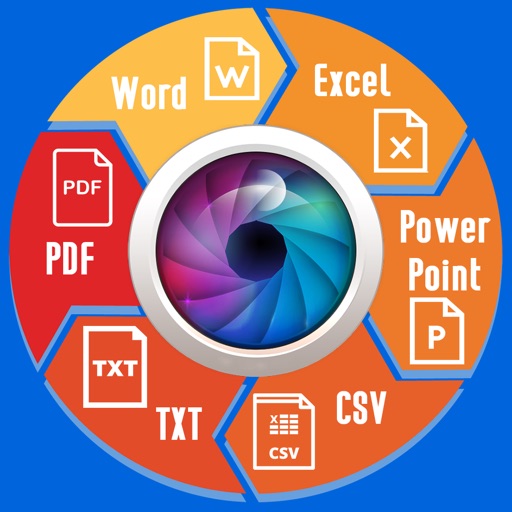
Convert images to text and edit
Extract text from scanned images and convert to Word, Excel, or PDF. Edit extracted content in Word or Excel. Convert tables and format from images to Excel or Word. Save as text files or PDFs. No registration required for conversions.

Harjot Singh
Scan, store, and access anytime
Manage financial and digitally. Scan credit and debit to save in . Convert receipts, notes, and contracts into PDF, Word, or JPEG. Access files across iPhone, iPad, and Mac.

FASTMORE PTE. LTD.
Send faxes iPhone or iPad
Send and faxes by scanning documents iPhone or iPad. Transmit files securely without needing a fax machine. View and store sent and received faxes in an online portal. Supports HIPAA-compliant file transfers for business use.
Apps are ranked by functional similarity, category fit, rating confidence, and popularity.