
Dropshare - File Sharing Tool
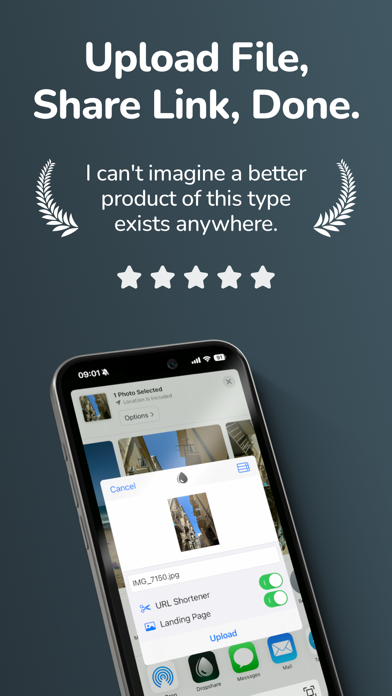
Share files via download URL
Timo Josten
iPhone Screenshots
Description
Upload and share files, photos, and videos via download URLs. Connect to cloud storage services like Amazon S3, Google Cloud Storage, and others. Transfer files directly from iOS devices to supported storage providers.
Dropshare makes it easy to upload and share files from your iPhone or iPad using storage you already trust.
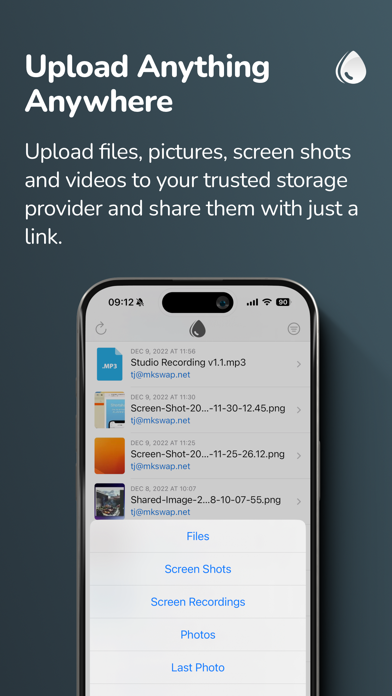
Upload files, photos, videos, and more, then instantly get a download link you can share anywhere. Whether you want to use your own server, S3-compatible storage, or popular cloud services, Dropshare gives you a faster and more flexible file sharing workflow on iOS.
Why Dropshare:
• Share files quickly via download URL
• Upload from Photos, Files, or the Share Extension
• Upload one file, multiple files, or ZIP archives
• Sync upload history across iPhone, iPad, and Mac with iCloud
• Use custom domains and supported URL shorteners
• Create custom download pages matching your personal or professional identity
• Supports Shortcuts for faster automation
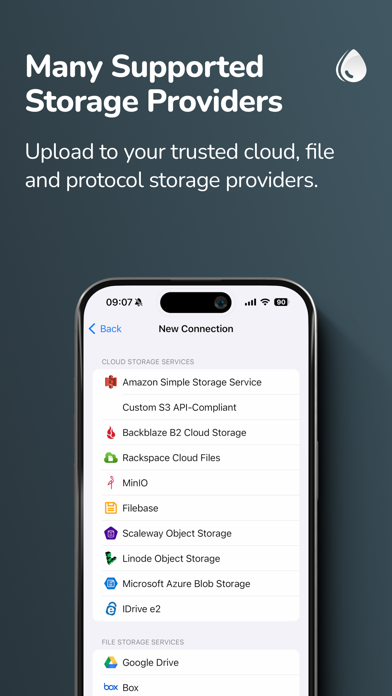
Supported storage providers include cloud, file, image, and protocol-based services such as:
Cloud Storage:
• Amazon S3
• S3 API-compatible services (including OpenStack Swift, DreamObjects, and more)
• Backblaze B2
• Rackspace Cloud Files
• Filebase
• Scaleway Object Storage
• Linode Object Storage
• Microsoft Azure Blob Storage
• IDrive e2
• MinIO
• Alibaba Object Storage
• Bunny Storage
• Contabo Object Storage
• DigitalOcean Spaces
• Google Cloud Storage
• Hetzner Object Storage
• MEGA Object Storage
File Storage:
• Google Drive
• Box
• Dropbox
• OneDrive
• pCloud
• Nextcloud
• Horizon
• Zoho WorkDrive
• Koofr
• kDrive
• Fastmail Files
Image Storage:
• Flickr
• ImgBB
• Imgur
• vgy.me
• Lensdump
Protocol Services:
• SCP over SSH
• FTP / FTPS
• SFTP
• WebDAV
Dropshare also supports URL shorteners including Rebrandly, Bitly, short.io, and more. dsh.re is the built-in shortener and also supports custom domains.
Technical notes:
• SCP, FTP / FTPS, SFTP, and WebDAV require a working server account. Password or SSH key authentication may be required.
• S3 API-compatible services such as OpenStack Swift and DreamObjects are supported. See the User Guide for setup details.
• Google Drive, Box, Dropbox, OneDrive, pCloud, Nextcloud, Koofr, Horizon, Fastmail Files, and kDrive require an account with the respective provider.
• Amazon S3, Backblaze B2, Rackspace Cloud Files, Scaleway Object Storage, Linode Object Storage, Microsoft Azure Blob Storage, Alibaba Object Storage, Bunny Storage, Contabo Object Storage, DigitalOcean Spaces, Google Cloud Storage, Hetzner Object Storage, MEGA Object Storage, and MinIO may require a paid plan depending on the provider.
End User License Agreement:
https://dropshare.app/eula/