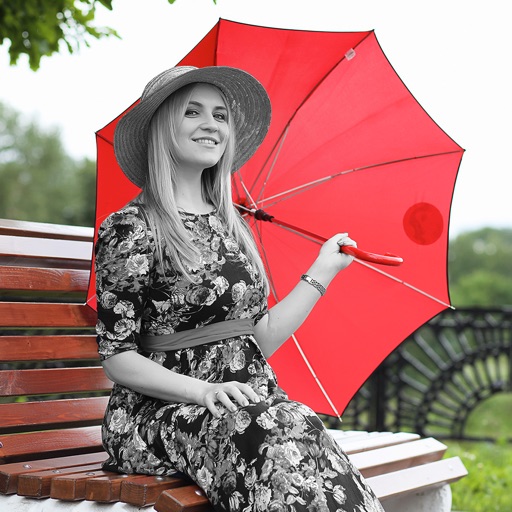
Edit photos by converting them to black and white while retaining selected details. Use multi-touch gestures to paint areas in black and white or restore original colors. Zoom in and out with two-finger pinching. Adjust and export edited images.
by Pocket Pixels Inc.★ 4.96,491 ratingsPhoto & Video$1.99Data updated 2026-11-12
Edit photos with filters, effects, and frames. Adjust brightness, contrast, and balance. Crop, rotate, and straighten images. Add text, stickers, and drawings. Paint on photos or blank paper. Apply splash and tilt shift effects.
Create art using with 2-fold to 128-fold options. Draw patterns or let the generator create designs. Adjust brush size and style. Share creations on Facebook, Twitter, Instagram, and other platforms.
Play on a 15x15 board using black and white stones. Challenge AI opponents or play with friends. Place stones on intersections; once placed, stones cannot be moved or removed. Win by getting five in a row.
Add to photos for a terrifying effect. Choose from over 200 sticker options. Adjust sticker placement and size. Change background to black or white. Edit and save modified photos. Share edited images directly.
To add vibrant colors to black and white, grayscale, or night vision photos. Select from the gallery or share from apps like Facebook, Twitter, Chrome, or Google Photos. Apply automatic colorization using machine learning.
Play a simple game where the goal is to hit color dots with a white dot using flippers. Clear levels by removing all color dots without losing the white dot. Track progress through multiple levels.
Capture photos and videos with real-time filters applying effects during recording. Adjust filter position by tapping, swiping, or pinching. Edit videos with multiple filter styles ranging from funny to artistic. Share edited content directly.
The app uses an automatic colorization technique based on scribbles to change object colors in photos. Users can mark parts of an image with any color and the app will apply the changes.
Edit photos with filters, adjustments, and effects. and focus areas with finger movements. Crop, rotate, and add text or stickers. Adjust tone curves and apply splash effects. Save and share edited photos to social media.
Edit photos with AI-powered enhancement, colorization, and object removal. Adjust lighting, sharpen details, and correct imions. Apply filters and restore old photos. Export edited images in various formats.
And paint with a variety of tools including pens, lines, arrows, rectangles, ellipses, and text. Apply effects, adjust colors, and use filters. Crop, enhance, and add stickers to artwork.
The app provides unlimited word search puzzles with customizable themes and multiple difficulty levels. Users can select word lists from various categories, including vocabulary for standardized tests and international languages.
The app provides a wide spectrum of black-and-white filter effects for monochrome photographs. Users can capture moments in various forms of black-and-white photography with a sleek touch.
Images using adjustable strength and soft/hard brushes. Remove stains and defects from photos. Enhance images with high-resolution editing and zoom. Apply focus to hide unwanted details. Offset wrist to avoid finger obstruction during editing.