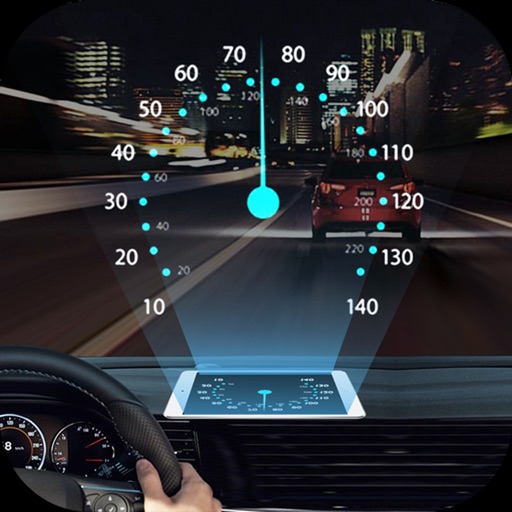
The app visualizes current speed, trip time, and weather forecasts. It includes a HUD mode for a reflected display on the windshield and offers music control and photo capture features.
by Vitalijs Lennojs★ 2.88 ratingsNavigation$0.99Data updated 2026-09-25
Projects speed, clock, weather temperature, cruise control, and now playing song information onto the windshield when iPhone is rotated and placed near the windshield. Displays data in landscape mode for easier visibility while driving.
Track vehicle speed with a digital speedometer showing current, average, maximum speed, and total distance. Use offline mode for uninterrupted performance. Access two HUD modes for windshield display. Choose from 10 themes for customization.
Track elevation and atmospheric pressure with and barometer. Use compass for direction based on satellite location. Access weather updates and speedometer. Log steps with pedometer. View maps and use binoculars for scouting.
Check current and road conditions along your route. View radar data and forecast for specific driving times. Access real-time updates via CarPlay. Navigate with integrated alerts. Track changes as you travel.
Monitor speed with unit switching between KM/H, MPH, and KTS. View analog or digital speedometer displays. Track journeys with detailed logging and route mapping. Integrate music playback and receive real-time weather updates.
Track with high-precision GPS. Record trips and display real-time data on a head-up display. Receive speeding alerts. Navigate with integrated map support. distance, time, and elevation. Share trip data.
Calculate -related conversions, fuel consumption, and navigation metrics. Perform arithmetic operations and unit conversions. Track time, distance, and speed. Sync with Apple Watch for real-time updates.
Track driving costs in real-time by entering fuel price and efficiency. Split trip expenses with passengers. Record trips for review or sharing. Monitor speed with visual and sound alerts when exceeding preset limits.
Display current speed and location using GPS. Switch between units like mph, km/h, m/s, knots, and min./500m. No ads or in- purchases. Requires careful use while driving.
View data with a display and HUD options. Track trips, record , distance, and duration. Monitor average , top , altitude, and switch between mph and km/h.
Navigate with smart route planning and real-time traffic updates. Access 3D offline maps and precise estimated time of arrival. Receive speed camera warnings and traffic alerts. Support for , HGV, RV, and other large vehicles.
The app displays current speed in real-time using the iPhone's GPS receiver. It features analog or radioclock style displays and an optional HUD mode for projection onto a windshield.
Monitor vehicle performance with real-time gauges and graphs. Track fuel efficiency to reduce gas costs. Diagnose issues by accessing the onboard ECU. View trouble codes and system data. Save diagnostic information for later review.
Track speed using GPS with real-time updates. Display current speed, distance traveled, and time elapsed. Save trip data and view historical speed logs. Share speed records via social media or email.
Track , distance, and time during trips. Record trip data automatically. View real-time statistics and historical trip details. Share trip summaries with others. Set and monitor limits. Export trip data in various formats.
Track speed, distance, and trip data using GPS. Switch between analog and digital modes. Monitor mph, km/h, or custom units. Record trips and view historical data. Sync with Apple Health for activity tracking.
View marine forecasts for U.S. coastal zones. Check wind speed, wave height, and surf conditions. Access one-touch NOAA forecasts for today, tonight, and the week. Add locations for custom alerts.