The app offers a straightforward approach to tracking money with quick entry options. It provides visual data representations like pie and bar charts for financial overview.
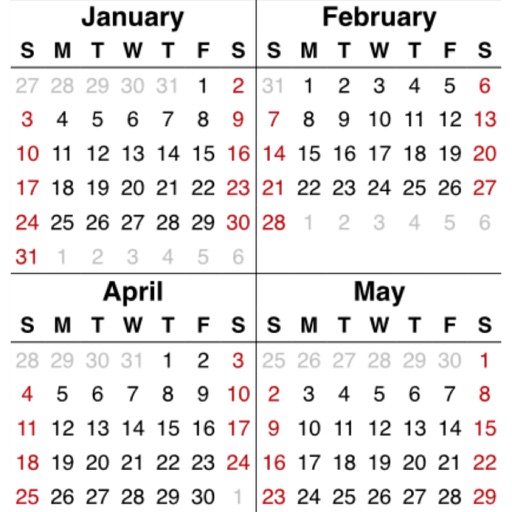
View a weekly layout for a clear overview. Create and edit events with simple taps. Sync with native iPhone calendars and external services like iCloud, Outlook, Google , and CalDAV. Switch between weekly and daily views by rotating the device.
View a 3D and rotate it using touch gestures. Zoom in and out with a pinch. Search for a country to navigate to it. Tap a country to display Wikipedia information.
View historical events for each date. Track sunrise and sunset times. Display week number, day length, and moon phase. Learn daily facts from various historical periods. Share interesting facts with others.
Manage appointments and client information with a calendar. Process payments and handle checkouts. Create and send marketing materials. Access inventory, generate reports, and manage packages and memberships.
Schedule events and set reminders. Add checklists and notes to tasks. Use customizable icons and themes. Place stickers on views for visual notes. Sync with iMessage stickers. View class timetables and widget updates.
Plan tasks with handwritten notes, doodles, and sketches. Switch between yearly, monthly, weekly, and daily views. Customize templates and retain past notes. Sync with Apple Calendar to view events directly.
Track and organize shift schedules, training days, holidays, and on-call periods. Log completed shifts, record working hours and locations, and calculate pay. View upcoming events and manage work-life balance.
Organizes birthdays with a year view for quick overview. Set multiple reminders with customizable times. Access upcoming birthdays via home screen widget. Import from contacts or Excel files. Create multiple birthdays quickly.
The app offers a unique year view with months in columns for a quick overview. It provides marking and note-taking options, central holiday and birthday management, and integrates with standard calendar stores.
Manage events and tasks with natural language input, drag-and-drop reordering, and gesture controls. Sync with Google and Tasks. Edit, delete, and organize events efficiently. View events in day, week, and month views.
View and navigate calendars with swipe gestures for months and years. Access settings for numeral preferences. Display Tigray dates with optional Gregorian date overlays. Show all current year holidays.
Plan daily, weekly, monthly, and yearly tasks with customizable templates. Write notes, set goals, and organize schedules. Sync across devices and export events. Track progress with handwritten journal pages.
Create and track personal habits with customizable goals. Set or weekly reminders. View progress through visual charts and streaks. Adjust difficulty and receive feedback on consistency.