The app displays the time with 140 style options, including 28 color themes and 5 color fonts. It offers 12 or 24-hour modes, portrait and landscape viewing, and customizable clock styles and status settings.
by YoungHo Kim★ 2.816 ratingsUtilities$0.99Data updated 2026-09-10
Set timers and stopwatches with customizable theme colors and alarm sounds. Receive notifications when timers finish. Enable vibration for alerts. Supports tablet use. Hide ads with a plug-in extension.
A talking clock allows users to set time announcements with customizable voices and languages. Shake the device to trigger the time or input text for the clock to speak.
Lets users switch between page turning and digital clock displays. It includes a stopwatch, countdown , and function. Users can set personalized countdowns for days and anniversaries.
Stylish with customizable fonts and themes. Apply fonts and themes to messages, social media posts, and bios. Compatible with Instagram, TikTok, WhatsApp, and other platforms.
Control connected devices to manage functions like sound, color, and alarm clock. Adjust FM channels and interact with smart home devices. Set and trigger alarms based on schedules or events. Sync devices for unified control.
Set alarms with customizable schedules and snooze options. Track time zones and current time in different locations. Sync with calendar events for timely reminders. Manage multiple alarm profiles for different days or activities.
Convert times between multiple time zones instantly. Display current local time for up to 20 cities. Customize city names and icons. Use background colors to indicate day or night. Choose 12 or 24 hour format. Access free color themes.
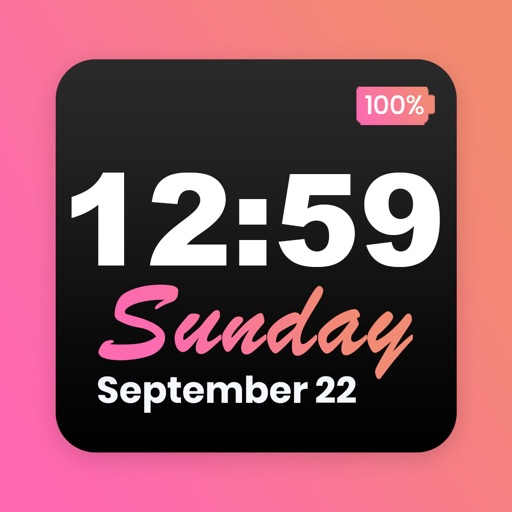
Customize home screen with featuring font, theme, and background options. Set clock with battery percentage, date, and time. Quickly install and configure for iOS 14+ devices.
Set alarms for minyan and . Choose or record custom ringtone sounds. Test notifications to confirm setup. Enable repeat alarms and remove ads for a premium experience.
Measure device angle with a . Tilt the device to see current angle. Reset and lock the angle manually. Switch between portrait, landscape, and surface modes.
A notification that sends vibrations instead of sounds. Set alarms with unlimited storage, custom dates, and weekly repeats. Use timers with second precision, circular progress displays, and notification time alerts.
Set alarms with customizable for the icon, , and interface. Choose multiple tones and preset volumes. Lock alarms to prevent silencing. Add personalized music to sounds. Adjust for the and interface.
Set alarms using voice commands like "Jarvis set for 7:30 AM." Snooze or turn off alarms with voice instructions. Control the without touching the phone. Choose from built-in or custom backgrounds. Display weather for the current location.
Display current temperature, humidity, wind speed, direction, feels like, and pressure. Update data every 10 to 30 minutes. Set alarms with customizable settings. View large digital or analog faces. Choose from various themes and adjust settings.
Display current time, date, day of the week, and battery percentage on home screen. Customize and themes with multiple background and font options. Choose from three sizes. Add to home screen and update as needed. Requires iOS 14.
Track time with a timer, Pomodoro, and countdown features. Set customizable alarms that work even when the device is muted. Choose from stylish themes and focus tools to enhance productivity.