
X-pointer SMART
Chois Technology Co., Ltd.
Smartphone becomes a remote controller.
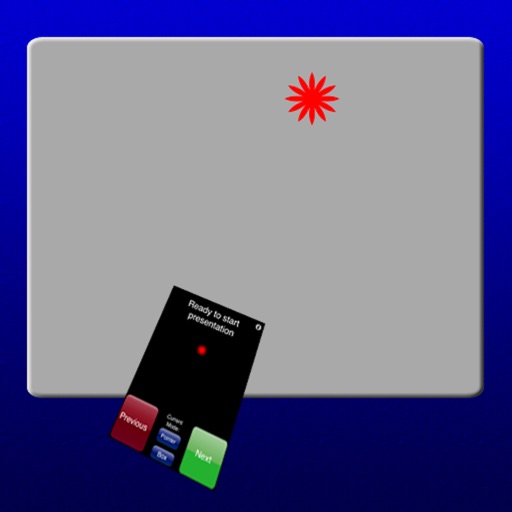
The app transforms a smartphone into a remote mouse controller and presentation tool. It supports laser pointing and multi-touch mouse mode for presentations.
Showing 1–20 of 1,000 ranked alternatives.
Chois Technology Co., Ltd.
Smartphone becomes a remote controller.
The app transforms a smartphone into a remote mouse controller and presentation tool. It supports laser pointing and multi-touch mouse mode for presentations.

Elena Drozhzhina
Draw on screen, control slides remotely
Use your iPhone to control on a Mac. Change slides in Keynote or PowerPoint. Draw remotely with color and tool options. Clear the screen by swiping left. Access flashlight by swiping right. Repeat last drawing action. Enable typing.

Apple Inc.
Create presentations with text, images, and charts
Create presentations with text, images, charts, tables, and shapes. Add handwritten notes with Apple Pencil or finger. Apply animations and transitions. Insert live video and appear on slides during remote presentations.

Microsoft Corporation
View, edit, and share presentations on
Create, edit, and present slideshows with familiar tools. View recent files for quick access. Sync presentations across devices via OneDrive. Share presentations directly from the . Export slides in various formats.

Kobi Snir
Control slides and pointer with iPhone
Control PowerPoint presentations with start, stop, next, and previous page navigation. Hide or show a laser pointer. Use as a mouse with finger movement, single and double clicks. Requires server software on Windows XP/VISTA/7/8.

Ginger Labs, Inc.
Take , record audio, and organize ideas
Take handwritten or typed with digital ink and text tools. Annotate PDFs, textbooks, slides, and images. Record audio and combine with sketches, diagrams, and highlights. Search and organize content for easy retrieval.

Goodnotes Limited
Capture notes, organize ideas, and create plans
Create and organize digital notes with handwriting recognition and customizable templates. Annotate PDFs and images. Use AI to summarize text and generate ideas. Collaborate in real-time with team members.

Didonai LLC
Remote control for PowerPoint presentations.
The app allows users to remotely control PowerPoint presentations. Users can view the current slide, notes, and upcoming slides on their device.

Pepperbit Online GmbH
Install fonts and use them system-wide
Install and use custom TrueType, OpenType, and TrueType Collection fonts on iOS devices. Apply fonts across system apps like Word, Excel, and PowerPoint. Prevent font substitution in documents and presentations.

Didonai LLC
Rehearse slides on the go
Control presentations from a mobile device. Navigate slides, adjust timing, and manage transitions during rehearsals. Display slides wirelessly via VGA adapter or AirPlay mirroring. View audience feedback and annotations in real time.


K Desktop Environment e.V.
Share clipboard between devices
Allows copying and pasting between devices. Share files and URLs to a computer from any . Use phone screen as a virtual touchpad or keyboard. Control a computer's presentation with a phone-based laser pointer. Run remote commands on a computer.


MyScript
Write, draw, and annotate documents effortlessly
Create notes and documents by hand with AI-powered recognition. Draw, sketch, and annotate PDFs on an expandable canvas. Convert to text and create diagrams with intuitive gestures. Organize content with layers and embed images.

Remoter Labs LLC
, track, and control
Control computers via sharing, trackpad/mouse, and Apple Pencil. Connect using RDP, SSH, Telnet, and VNC. Manage sessions, transfer files, and customize keyboard shortcuts. Supports iOS and Mac devices.

耀 阮
Control your computer with your device
™ turns a mobile device into a control for computers. It includes a cross-device clipboard for text and image transfer. Users can navigate with a virtual , keyboard, and touchpad. Specialized control panels allow precise device management.

RPA Tech, INC
Control your PC with your iPhone
Control your Mac or Windows PC with an iPhone, iPad, or Apple Watch. Use as a trackpad, keyboard, or remote control. Perform actions with touch or motion gestures. Access a companion on Apple Watch for additional controls.

士猛 王
Control computer with phone wirelessly.
The app turns a phone into a wireless mouse, keyboard, and trackpad for a computer. It allows control of a PC, Mac, or Linux device over a local network connection, offering features like remote media control and file browsing.


Teleprompter Apps Ltd
Read text, display scrolling text
Display text on a virtual screen for live reading. Adjust scrolling speed and direction. Sync with external devices for real-time input. Support for custom fonts and text formatting. Export scripts and share directly.
Apps are ranked by functional similarity, category fit, rating confidence, and popularity.