
Universal TV Remote -
Jiangbei District Lejing Information Technology Service Department (Individually Owned Business)

Control your TV with your phone
Control Smart TV functions using a phone. Access buttons for power, volume, and channel navigation. Support for LG, Roku, Samsung, Sony, and Philips models. Pair with TV via infrared or network connection.
Showing 161–180 of 1,000 ranked alternatives.
Jiangbei District Lejing Information Technology Service Department (Individually Owned Business)

Bao Nguyen
Detect TV, connect to Wi-Fi
Control your TV with a that detects compatible devices instantly. Navigate using a touchpad or buttons. Access all remote commands and launch favorite channels quickly. Requires both TV and phone to be on the same Wi-Fi network.

Zipo Apps Ltd.
Smart TVs and streaming devices
Smart TVs and streaming devices with on-screen buttons for channel switching, volume adjustment, and launching. Navigate menus, pause/play content, and adjust settings directly from the .

V America Operations Inc.
Control your TV with precision
Control TV functions including power on/off, volume, and channel changes. Share videos, music, and photos to the TV. Search for content. Requires compatible Smart TV model.


KRAFTWERK 9 LTD
Control devices with your mobile phone
Control TV, TV Cube, and TV Stick devices via a mobile . Navigate menus and content using a large touchpad. Type with an on-screen keyboard. Automatically connect to a device once paired. Access advanced features with a premium subscription.

TINAC Inc.
Control TV with your phone
Control TV with functions, mouse, and keyboard. Automatically reconnect to previously paired devices. Share photos from phone to TV screen. Requires same Wi-Fi network connection.

TVAPP Media UG (haftungsbeschraenkt)
Control your TV with swipe or D-pad
Control TV remotely using a smartphone. Navigate with D-pad or swipe gestures. Type on the TV using your phone's keyboard. Access apps and websites with single taps. Customize order and connect to multiple TVs. Add custom apps and websites.

YONGXING JIN
Control your TV with your iPhone
Control TV with power, volume, channel, and arrow keys. Access home, return, mute, and option functions. Use on-screen keyboard for input. Connect via local Wi-Fi network.

Monstermob Usa, Inc.
Phone to car instantly
Access vehicle data including fuel level, battery status, and tire pressure. start the engine and lock/unlock doors. Charge the vehicle remotely and monitor charging progress. with Apple CarPlay for navigation and media control.

Sepia Software LLC
TVs with voice, tap, or swipe
Turn your iPhone into a universal for multiple TV brands. Fire TV, Roku, Samsung, LG, and HDMI-CEC devices with tap, swipe, or voice commands. Pair using a 4-digit code without developer mode. No additional hardware required.

yohan teixeira
Control your TV with your iPhone
Control your TV remotely by connecting to the same Wi-Fi network. Navigate menus, adjust volume, and change channels from anywhere in the home. Access a user-friendly interface for intuitive operation.

TIAGO MARTINHO LTD
Send video to any TV or computer
Stream video from iPhone or iPad to TV via screen mirroring. Send content to supported devices like Chromecast, Fire TV, and smart TVs from Samsung, LG, and others. Mirror content to computers and compatible streaming devices without needing AirPlay.

BINARY BLITZ LIMITED
Control TV, devices, and soundbars remotely
Control TV, streaming devices, and soundbars with a universal . Adjust volume, navigate menus, and switch inputs. Connect devices quickly via Wi-Fi. Cast media instantly to compatible TVs.

Matan Yamin
Control your TV with phone
Control via phone with functions. Navigate TV content and manage playback. Adjust volume, skip tracks, and access menus. Customize UI for easier navigation and smoother interaction.

Ozuna Limited
To TV and mirror devices
Mirror your phone to TVs supporting Roku, LG, Chromecast, Fire TV, Samsung Smart TVs, and more. content via AirPlay, Miracast, or Smart View. Stream media directly or mirror your for high-definition playback.

Pylab
Control Roku TV menus and apps remotely
Control Roku TV remotely by accessing menus and apps like Netflix, Amazon, and Spotify. Change channels, adjust volume, and use the keyboard for searches. Navigate the interface quickly without a physical .
Suna Ordulu
Control your TV with a tap
Control TV power, volume, and channels with single-tap commands. Navigate menus using a built-in keyboard or touchpad. Pair with Apple Watch for remote control. Manage multiple TV brands via WiFi.
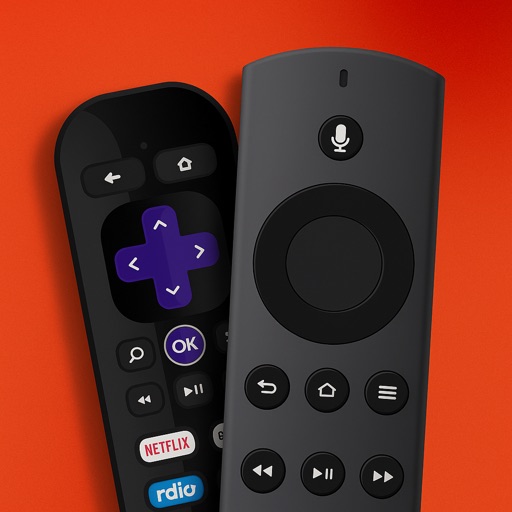
Vladyslav Stesovych
Your TV with your iPhone
Manage your TV with a smartphone . volume, change channels, and open apps. Connect to compatible Smart TVs instantly. Adjust settings and navigate menus directly from your phone.
Apps are ranked by functional similarity, category fit, rating confidence, and popularity.