Create mobile apps using a block-based programming interface. Design user interfaces and add functionality with drag-and-drop components. Access tutorials and documentation to build projects. Share apps directly to stores.
Teaches counting and colors through interactive . Features logic puzzles, memory challenges, and color recognition activities. Includes animated characters and sound effects. Adapts to child's age and offers continuous updates.
Connect with children's caregivers, teachers, and administrators for real-time updates. View daily schedules, activities, and lunch menus. Receive event notifications and access photos or videos of daily activities.
Monitor sensor data in real time including accelerometer, gyroscope, GPS, barometer, and compass. View detailed readings and generate graphs. Use decibel meter, metal detector, and other tools for environmental measurements.
Explore geologic features and learn about rock formations. Access location-based summaries and global geologic maps. Document observations and track your geologic journey. Contribute findings and view detailed geological information.
Smart audio recording converts lectures, meetings, and voice memos into text with high accuracy. AI organizes content into structured notes with headings, bullet points, and summaries.
Access sermons by Pastor Mike Fabarez, daily readings, and ministry videos. View events and connect with community resources. Subscribe to updates and stream content offline.
View daily school updates, attendance records, and grades. Receive notifications about upcoming events and assignments. Access class schedules and teacher contact information. Submit feedback and communicate with teachers directly.
Connect with children's caregivers, teachers, and administrators for real-time updates. View daily schedules, access curriculum materials, and receive lunch menus and event notifications. Share photos and videos of children's activities.
Create daily reports and manage attendance records. Send photos and videos to parents. Track child progress and generate activity summaries. Access a user-friendly interface designed for classroom teachers.
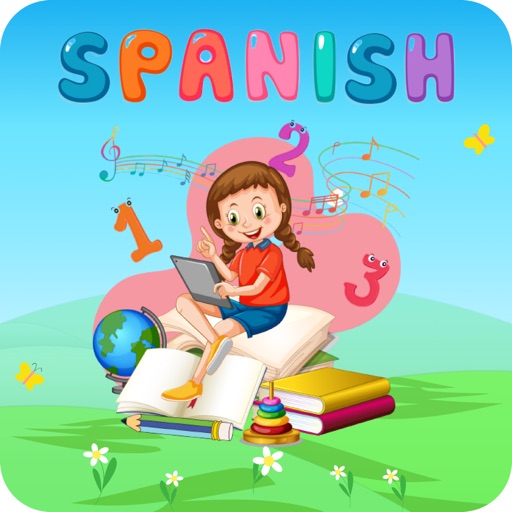
Learn vocabulary and basic grammar through interactive lessons and colorful visuals. Practice pronunciation with native audio recordings. Complete quizzes to test knowledge and track progress over time.
The app provides vector drawing tools and flipbook-style animation. Users can create frame-by-frame animations or single-frame vector artwork with various drawing tools and shape options.
Teaches colors and shapes through interactive puzzles. Helps with memory and attention skills. Features animated characters, sound effects, and age-appropriate challenges. Includes a mini-game where children match colors and shapes.