

Apps Like iBlurred for iPhone and iPad
iBlurred screenshots
Ranked alternatives
Showing 121–140 of 1,000 ranked alternatives.


NeuralCam Aperture
Neural Cam SRL
Capture portraits with AI-powered guidance
Auto-focus and exposure adjust automatically for portraits. AI enhances depth and background blur. Use Photo Coach for real-time guidance on composition and technique. Edit photos with filters, cropping, and adjustments.


Bananai: Speak & Create
MWM
Edit photos with voice commands
Edit photos using voice commands to describe desired changes. Animate static images to motion. Test virtual haircuts and styles on photos. Save and share edited images directly.
Blur Wallpapers Pro
KISSAPP, S.L.
Create custom blur effect wallpapers now.
The app allows users to customize iPhone, iPhone X, or iPad wallpapers with a blur effect. Users can apply the effect to included wallpapers or their own photographs and draw on images with included brushes.

Annotable: Annotation & Markup
凌 王
Annotate, edit, and share images
Edit images with drawing tools like rectangles, ovals, arrows, lines, and text. Add notes and highlights. Adjust colors and brightness. Save and share annotated images directly.

Annotate+ Markup image
奕才 杨
Images with precision and speed
Annotate and images with tools like line, dash line, curve line, arrow, rect, text, magnifier, spotlight, clip, blur, and mosaic. Switch tools quickly with swipe gestures. Create collages in 29 formats. Share annotated images directly.
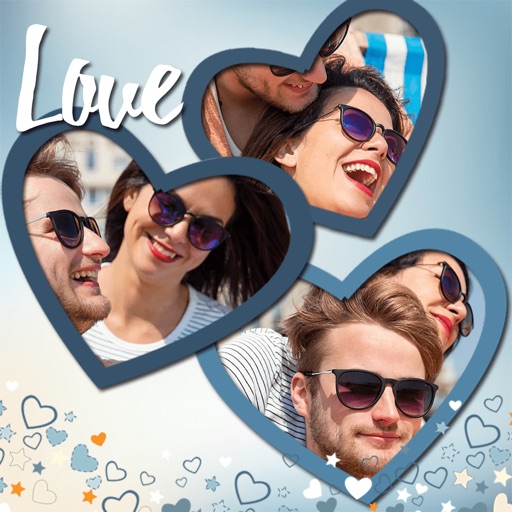
Love Photo Collage & Frames
Hareshbhai Issamaliya
Create collages and share them
Create collages by combining multiple photos. Add romantic and text. Share collages via social media or messaging. Customize layouts and edit images within the .

Picsew - Screenshot Stitching
Yojio, Ltd.
Stitch screenshots into one image
Record screen to create scrollshots without taking multiple screenshots. Stitch screenshots together to view long content. Edit and annotate stitched images. Share or save final compositions.

Photo Blur: Motion Effects
少杰 邓
Blur photos and apply
Edit photos by selecting from the album or capturing a new image. Choose between full or background blur modes. Adjust the blurred area manually with finger drag. Apply blur instantly for automatic results. Save and share the edited .

Squaready Pro
FANG Inc.
Post entire photos without cropping.
The app allows users to crop photos into a square shape for posting on Instagram. It supports both landscape and portrait orientations and offers various background options and effects.

CREATE: Graphic Design + Fonts
Mark Craemer
Design graphics, art, and more.
The app provides graphic design and drawing tools for creating sophisticated projects. Users can design and collaborate anywhere, using photos, fonts, and shapes to create various graphics and art.

How we rank alternatives
Apps are ranked by functional similarity, category fit, rating confidence, and popularity.