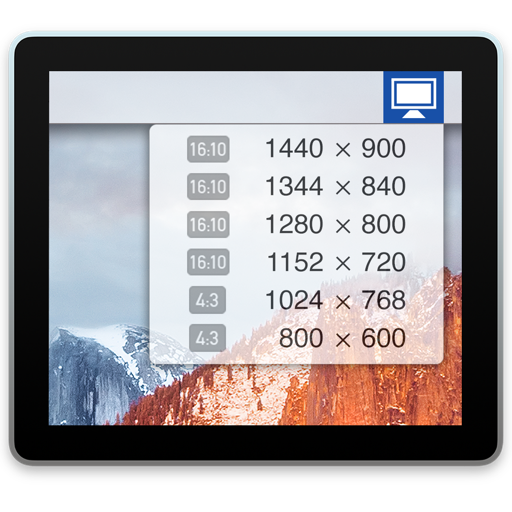
Display Menu
Thorsten Karrer
Change display settings with one click.
The app displays a status item in the menu bar for changing display settings. Users can adjust resolution, mirroring, and refresh rates.

Connect iPhone to laptop screen
Turns iPhone or iPad into an external display for MacBook or Windows devices. Extend screen space and view video output on iOS device. Connect via Wi-Fi or USB tethering. Supports screen mirroring and display extension.
Showing 81–100 of 1,000 ranked alternatives.
Thorsten Karrer
Change display settings with one click.
The app displays a status item in the menu bar for changing display settings. Users can adjust resolution, mirroring, and refresh rates.


Ericom Software Inc.
Access Windows applications on mobile devices.
The app provides mobile RDP access to Windows PCs and applications. It features patent-pending technology for resizing Windows objects and supports touchpad and floating pointers.

Ericom Software Inc.
Mobile RDP access to Windows applications.
The app provides mobile RDP access to Windows PCs and applications. It features patent-pending technology for resizing Windows objects and supports touchpad and floating pointers.

Ramon Rivas
Convert with precision and speed
Convert across categories with a modern interface. Navigate using sidebar and tab bar. Create multiple windows and drag items to new screens. Share data and access context menus. Includes a quick start guide and light/dark modes.


DEVGURU Co., Ltd.
Draw in PC apps via iPad tablet
Use iPad and Apple Pencil as a liquid crystal tablet. Draw in PC programs like Photoshop and Clip Studio. Connect via wired or wireless. Supports pressure sensitivity and real-time rendering. Export drawings as image files.


Masaharu Tsukamoto
Save videos and play in background
Save videos from web pages and extract audio. Use picture-in-picture mode to watch videos in a smaller window while using other apps. Switch display modes for different viewing experiences.

Guangdong Wuji Network Technology Co., Ltd.
Display content in windows
Display content in windows for multitasking. View PDFs, texts, and documents in read mode. Preview photos and videos in media mode. Use timer functions for clock, countdown, and stopwatch. Switch between browser tabs and windows.

JINMIN ZHOU
Protect photos and videos from eyes.
The app offers password protection for individual folders and the entire application. It supports a decoy mode with a separate password to conceal the private library of photos and videos.


Hian Zin Jong
Save documents and view offline
HD offers a tabbed browser for saving documents offline. It includes a file manager with document viewers for iOS-supported types. Features a powerful photo browser, advanced PDF reader, and full Dropbox integration.




Yamstu Inc.
Extend to another Mac
Turns a spare Mac into a wireless . Extend or mirror your main Mac's screen. Connect via Wi-Fi without cables. Use the host for setup. Enhances workspace by adding space.

Chad Austin
Record button presses and measure screen response
Measure device responsiveness by recording video of button presses and screen responses. Mark input and output times with frame-accurate scrubbing. Display the latency difference in milliseconds.
Apps are ranked by functional similarity, category fit, rating confidence, and popularity.