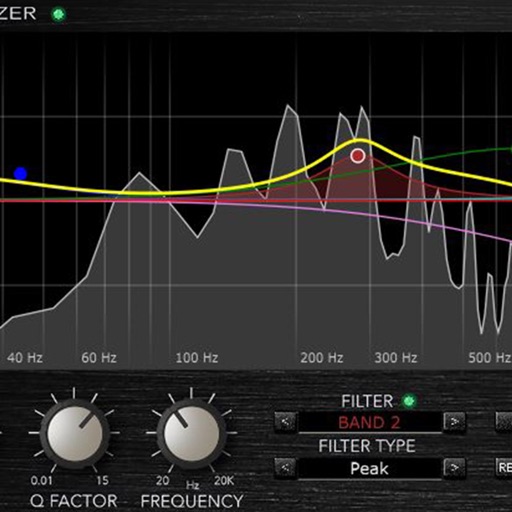
Create and manipulate audio using up to 10 band pass filters displayed as . Adjust resonance, delay time, and feedback per band. Modify cutoff frequency and resonance across bands for custom sound effects.
by AudioThing Ltd.★ 5.018 ratingsMusic$6.99Data updated 2026-09-06
Create evolving melodies and patterns using polyrhythms. nd control up to 8 sounds simultaneously. Store 16 project configurations. Use a sampler with envelopes, filters, loop crossfading, LFO, and more.
Load and manage impulse response files for audio equipment. Adjust cabinet sounds with a 6 band parametric equalizer and graphic EQ. Use a custom compressor with side chain filter and bass enhancer.
Create and manipulate audio using a variety of experimental instruments and sound sources. Adjust parameters to shape noise . Export audio files and integrate with digital audio workstations.
Create and layer sounds using up to four independent synthesizers. Each layer includes three VCOs, a sample or wavetable source, and recording capabilities. Set up to 16 voices per layer.
AudioTools offers SPL measurement, RTA analysis, FFT visualization, and speaker polarity testing. Includes a generator, scope, CLF viewer, and recorder. Allows adding optional modules for advanced acoustic analysis and customization.
Record and play files. Edit with cut, copy, paste, trim, fade, and silence insertion. Normalize and reduce noise. Adjust tempo, speed, and pitch. Use a 10-band equalizer and compressor. Split vocals and accompaniment. Remove reverb and clean voice.
Create and customize analog-style sounds with up to 8 voices. Adjust oscillators, sub-oscillator, and noise source. Use AUv3 for integration with DAWs. Design patches with classic synth parameters.
Learn frequency characteristics of instruments and improve EQ skills through educational content. Watch video tutorials on audio mixing techniques. Store and recall custom EQ settings and mix tips.
Stream music with a full band and various tracks. Set custom playlists for worship sessions. Save favorite songs for offline playback. Share tracks via social media or messaging.
Create and manipulate effects using a step sequencer interface. Adjust tape simulation settings including compression, saturation, hiss, head bias, and wow/flutter. Export audio files and apply effects during recording or playback.
Create and manipulate sounds with customizable oscillators and filters. Adjust envelopes and LFOs for tone shaping. Apply studio-quality effects like reverb and distortion. Save and load presets. Export audio files and share directly.
Allows users to process their into various effects. Apply vocoder, auto pitch, and harmonizing pitch shift. Adjust speed and sample sounds. Create robotic, animal, or comedic voices. Play musical instruments by without physical input.
Adjust audio frequencies with linear shifting and stereo delay feedback. Apply high and low pass filters. Modulate delay with LFO. Control via MIDI CC.
Create and customize basslines with a synthesizer and drum machine. Adjust waveform shapes, filter settings, and envelope parameters. Sequence rhythms with step editors and pattern loops. Export audio files and share directly.