
SUBscription Synth
Caelum Audio Ltd
Stream music with synthesizer plugin
Convert text inputs into unique waveshapes for bass sounds. Generate monophonic sub- tones from user-generated phrases. Customize audio output with codes.
Apply filters to audio signals
Modify audio signals using four adjustable bands with sum or multiply modes. Apply resonant filtering for brightening, deepening, or distorting sounds. Adjust filter intensity and mode for varying audio effects.
Showing 341–360 of 1,000 ranked alternatives.
Caelum Audio Ltd
Stream music with synthesizer plugin
Convert text inputs into unique waveshapes for bass sounds. Generate monophonic sub- tones from user-generated phrases. Customize audio output with codes.

Klevgrand Produkter AB
Compress audio and limit peaks
Adjust audio levels with a compressor and limiter. Control low, mid, and high frequencies with separate knobs. Apply transparent compression to vocals and mixes. Export processed audio files.

BLEASS
Create basses, leads, and SFX
Create and play original sounds using a mono-synth with analogue sound quality and intuitive controls. Design basses, leads, arpeggios, and sound effects. Export and share presets. Sync with desktop, iPhone, or iPad.

Jaroslaw Jacek
Turn any surface into a drum.
The app uses acoustical impulses from a microphone to drive sound modules simulating membranes, cymbals, metallophones, or strings. It offers a semi-modular architecture with various synthesis types to create a wide range of tones.
PZ MOBILE LIMITED
Visualize sound with real-time waveforms
Visualizes audio signals in real time with a spectrum display. Connects to microphones or hi-Z devices via mini-jack. Measures sound frequency and amplitude. Adjusts visual settings for different sound sources. Displays real-time audio analysis data.


e-instruments lab GmbH
Play with touch-sensitive pads
Create and shape string sounds using a touch-sensitive Morphpad. Choose from nine sampled articulations and textures. Blend and morph between different string ensemble options. Adjust and layer sound effects for customized musical expressions.

Prasad Upasani
Play tabla, listen to tanpura, record
Play tabla with realistic instrument sounds and adjustable tuning. Access tanpura and swarmandal accompaniment. Record and replay performances. Save and share sessions. Adjust tempo and dynamics during practice.

Limelight Software
Create soundscape with frequency bands
Create a soundscape with a moving sound source by splitting audio into 4 frequency bands. Each band has a coloured sphere for adjusting pan, stereo separation, and volume. Control stereo placement with automation or random effects.
Nembrini Audio S.r.l.
Load impulse responses and edit cabinet tones
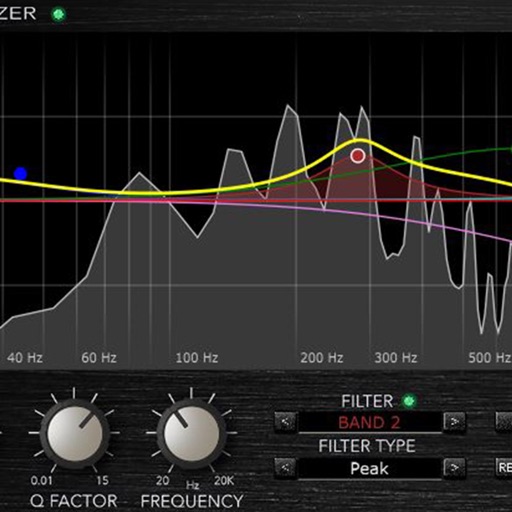
Load and manage impulse response files for audio equipment. Adjust cabinet sounds with a 6 band parametric equalizer and graphic EQ. Use a custom compressor with side chain filter and bass enhancer.

Frederic Corvest
Stream audio effects and modulate parameters
Create and customize audio effects with adjustable LFO and diverse waveforms. Sync LFO to host tempo and apply external modulation. View modulation and output levels via Butterfly Meter. Adjust phase modulation distance for stereo effects.

Alexander Zolotov
Generate sounds and explore presets
Tmospheric melodic sounds with customizable timbres and billions of unique presets. Adjust individual sample volumes via top panel or MIDI. Use a classic keyboard interface to play and manipulate sounds.

Madhukar Kshirsagar
Play samples, glide notes, use shrutis
Play sample sounds with natural gliding notes for Indian Ragaa. Use built-in Shruiti support for 22 shrutis. Generate microtones using standard 12 shrunk. Adjust and control sound parameters for precise playback.


Suture Sound Inc.
Record sounds, import files, play samples
Create and edit music using sample-based composition. Import sounds via AirDrop or Files, or record with microphone or iOS interface. Play sounds on drum pads or keyboard. Apply effects and edit audio.

Frederic Corvest
Boost audio levels automatically
Adjust audio levels automatically to maintain consistency without exceeding 0dB. Apply dynamic processors for transparent signal boosting or significant level maximization. Customize settings with a small set of parameters for precise control.

MSXII Sound Design LLC
Record, play, and edit loops
Record and playback audio with -like saturation and noise characteristics. Adjust noise hiss, speed, and echo effects in real time. Apply filters and modulation effects to incoming audio signals.

Skies First LTD
And play together
Create drawings while producing with interactive sound effects linked to each stroke. Adjust sound parameters and customize drawing tools. Save and share artwork with audio accompaniment.
Apps are ranked by functional similarity, category fit, rating confidence, and popularity.