Apps Like Canvas Software - Painter for iPhone and iPad
Create, edit, and share artwork
Create and edit digital art with layers, filters, and adjustment tools. Use timelapse recording and high-performance rendering at 60fps. Import and export files in various formats. Annotate and share artwork directly.
by Canvas Software LLC★ 4.01 ratingsGraphics & DesignFreeData updated 2026-09-06
Create handwritten notes on iPad or iPhone. Import and annotate PDFs. Draw ink with finger, resize, recolor, and move doodles. Add text with customizable fonts, color, and alignment. Include shapes like arrows, polygons, and diagrams.
Create from photos or images. Add text to make . Customize with images, text, and other . Browse and organize in one view. Move between packs. Export sticker packs to files. Import previously exported sticker packs. Share with contacts.
Edit photos with cartoon filters, line art, and color effects. Adjust brightness, contrast, and saturation. Add text, stickers, and borders. Export and share edited images directly.
Edit photos with 60+ high quality filters and 10 types of grain effects. Adjust exposure, shadows, and contrast. Add bloom for highlights and soften the image. Export edited photos in various formats.
Create images using text prompts with AI-generated art. Apply filters like photo, hyperrealism, gothic style, impressionism, and anime. Edit and export images in various formats. Share generated artwork directly.
Edit videos with timeline scrolling and zooming. Cut and trim clips for precise editing. Manage multiple layers to create complex compositions. Add transitions between clips. Export final edits in various formats.
Edit photos with cropping, resizing, rotation, color adjustment, framing, annotation, and special effect filters. Convert images between formats like PNG, JPEG, GIF, BMP, TIFF, HEIC, and PDF. Stitch photos using templates.
Edit photos with cropping, resizing, and basic adjustments. Apply filters and effects. Add text and stickers. Share edited images directly. No subscription required.
Create pixel art with bucket fill, continuous drawing, selection, move, mirror, and reference tools. Choose from multiple canvas sizes. Design NFTs, pixel avatars, and fuse bead patterns. Export artwork in various formats.
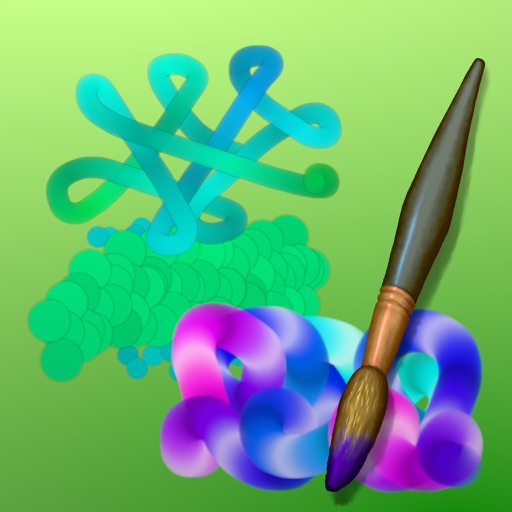
Create abstract art by drawing shapes that auto-connect and fill with random procedural patterns. Use Auto Draw to generate unique compositions in real time. Watch animations transform your artwork into kaleidoscopic designs.
Create sketches and freehand drawings with adjustable brush sizes and colors. Save creations to device. Use full-screen drawing area for artistic notes or quick doodles.
Edit photos with advanced filters, exposure adjustments, and color grading. Crop, rotate, and straighten images. Add text, stickers, and borders. Export in various formats and share directly.
Create art with drawing and painting tools including Standard Brush, Eraser, Serpentine Brush, Pulse Brush, and Confetti Brush. Adjust stroke properties based on Apple Pencil pressure and tilt.