Paint on spherical surfaces with customizable brush settings. Create symmetrical designs using mirroring tools. Save and export artwork in various image formats. Adjust colors and layer transparency for detailed artwork.
by tetsuhiro nakano★ 5.01 ratingsGraphics & DesignFreeData updated 2026-09-06
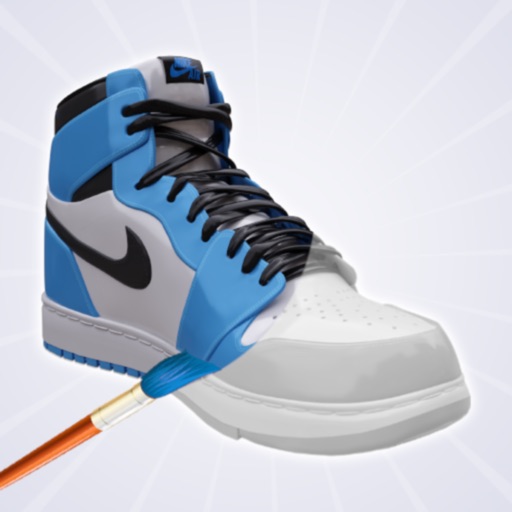
Create and customize shoe designs by selecting colors and patterns. Choose from various shoe models to personalize. Save and share completed designs. Access tools for detailed artwork.
Create collages and grids from photos and videos. Choose from 100+ templates or design custom layouts. Add frames, adjust elements, and save or share finished projects. Export for print or social media platforms like Instagram and TikTok.
Navigate through endless tracks by tapping to switch lanes and avoid obstacles. Complete 100 challenges to earn XP and rank up. Collect 50 spheres, including 5 secrets, and unlock 25 roads.
By numbers allows users to select and color pre-drawn images. Tap to fill in numbered sections with chosen colors. Access new daily pictures and save completed artwork. Share creations via social media.
Color images of characters and skins using bucket, pencil, brush, and eraser tools. Customize artwork with over 100 stickers. Access hundreds of images from the universe. Save and share completed colorings.
Use augmented reality to draw on any surface. Create sketches with AI-assisted tools. Select and customize NFT images from your phone gallery. Export drawings in various formats. Share artwork directly from the .
Convert text prompts into AI-generated artwork. Create and customize visual scenes with detailed descriptions. Export and share finished designs in various formats. Adjust colors, composition, and style settings for refined results.
Use AR to draw on real surfaces by outlines. Share drawings with others. Learn techniques through interactive lessons. Practice new skills in a realistic environment. Export artwork in various formats.
And recolor images from categories like Mandalas, Patterns, and Animals. Select and apply colors to fill in designs. Save completed artwork. Access new images daily without requiring a internet connection.
Create artwork by matching numbers to colors. Select images and fill in numbered blocks with diamonds, gems, or jewels. Decorate with dots to reveal detailed pictures. Choose from various mosaic styles and artistic designs.
Children can create art using various brushes, colors, and patterns. They can undo mistakes easily. The includes calming meditative music. Users can share their artwork.
Sketch directly on the screen with pressure-sensitive tools. Adjust brush size and opacity. Rotate, resize, and move drawings. Save and share artwork in various formats. Export as vector or raster files.
Use AR to sketch and paint on paper. Select images from the built-in gallery. Position paper on a flat surface for accurate drawing. Draw over projected images with precision. Save and share artwork directly.
Draw with a pen or apply colorful stamps. Tap to change background colors between white and black. Save drawings, erase, or retry. Play sounds when using stamps or drawing lines.
Access -themed pages and drawings. Create and customize artwork with easy-to-use tools. Share finished drawings via the . Includes a pixel art workshop for detailed designs.
Use the to project real-time grids and guidelines for precise . Adjust grid size, opacity, and angle. Import sketches or paintings for reference. Save and export artwork in various formats. Sync drawings across devices.
Upload artwork to generate mockups in interior design settings. Customize colors, frames, and layouts. Share mockups to Instagram, Etsy, and other social media platforms.
Create and refine artwork using AI-powered tools and AR integration. Access 550+ lessons with character-based tutorials. Collaborate with others in real-time. Track progress and receive feedback. Export drawings in various formats.