Paint on spherical surfaces with customizable brush settings. Create symmetrical designs using mirroring tools. Save and export artwork in various image formats. Adjust colors and layer transparency for detailed artwork.
by tetsuhiro nakano★ 5.01 ratingsGraphics & DesignFreeData updated 2026-09-06
Create objects with customizable shapes and textures. Choose colors and glazes for each piece. Save and view completed works. Listen to calming sounds and music. Adjust workspace settings for personalized experience.
Turn photos into paintings using preloaded styles and custom brushes. Adjust brush strokes with paint masks and save images with transparent backgrounds. Generate unique styles in Workshop mode and share or print finished artwork.
Color within numbered blocks to create -style artwork. Tap to select colors, fill designated areas, and save completed designs to your device. Share creations directly or download for offline use.
Create paintings, drawings, and sketches with realistic brush strokes and 64-bit color. Use sub-pixel precision for detailed work. Import and export artwork in multiple formats. Access advanced tools for layering and color blending.
Create fluid simulations by touching the screen to manipulate colorful, flowing patterns. Adjust movement speed and observe calming or dynamic visuals. Share created art or save snapshots of fluid animations.
Create hairstyles and makeup looks using tools like clips, face paint, and accessories. Choose characters and customize their appearance. Explore different styles and save creations. Sync with other apps via a shared subscription.
Create logos for businesses or companies using customizable templates. Select from 10K+ designs. Edit with 6,000+ fonts, symbols, and backgrounds. Adjust colors, text, and layout. Export and share finished logos.
Create original artworks using particle brushes for light effects and designs. Adjust brush settings for texture and flow. Save and share creations directly. Explore artistic inspiration through interactive tools.
Draw and with customizable brushes and layers. Edit images with adjustment tools and filters. Import and export files in various formats. Use gesture controls for quick navigation and editing.
Use AR to and real-world objects. Trace or create images using augmented reality. Add layers and adjust opacity. Export drawings in various formats and share directly.
Create mandalas with customizable symmetry and brushes
Create intricate mandalas by adjusting canvas symmetry, background color, and brush settings. Use predefined patterns or images for drawing. Apply shadows and customize center points. Save and share completed designs.
Create and color detailed illustrations from hundreds of unique paintings. Decorate an old house and art with collected items. Follow a love story through interactive scenes and unlock new content by completing artwork.
Create art by selecting colors and filling in grids. Choose from pre-designed artworks or design custom pieces. Save and share completed projects. Access a library of free art templates. Adjust color palettes and grid sizes for different projects.
Create and edit drawings with over 20 colors and adjustable brush sizes. Save drawings and their creation process in a built-in gallery. Replay or resume drawings at any time. Draw on iPhone, iPad, or iPod Touch.
Choose from a variety of images to color. Select and apply multiple colors and tools to customize designs. Save and share completed artwork. Adjust brush size and opacity for detailed work.
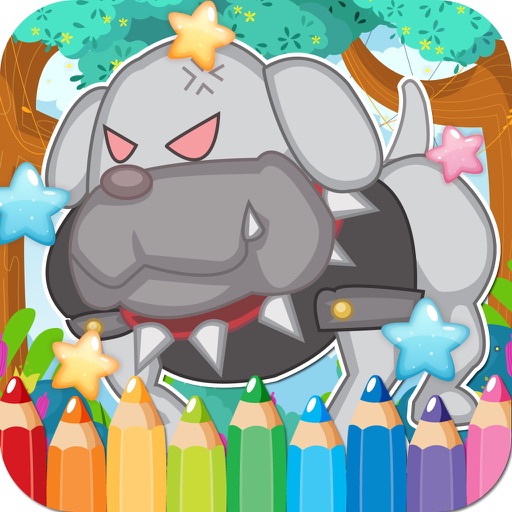
Create and customize drawings with a variety of colors and tools. Select from pre-designed featuring dogs. Save and share completed artwork. Learn fine motor skills and creativity through interactive activities.
By Number game allows users to select from 25000+ artwork across 60+ categories. Paint boxes using numbers and a palette. Save and share completed colorings. Daily updates add 500+ new artworks. Includes kid-friendly options.
Create art using AI-generated images based on text prompts. Adjust style, color, and details. Save and share generated artwork. Edit and refine AI-created images. Export in various formats.
The app offers over 20 drawing tools that mimic real-life implements, including wet and dry watercolor brushes. It features a tracing projector, precision tools like rulers and shapes, and full layer support for creating detailed artwork.
Scenes using numbered sections. Tap to fill in colors and complete images. Choose from various calming scenes. Save progress and revisit later. Adjust palettes and undo changes. Share completed artwork.