Paint on spherical surfaces with customizable brush settings. Create symmetrical designs using mirroring tools. Save and export artwork in various image formats. Adjust colors and layer transparency for detailed artwork.
by tetsuhiro nakano★ 5.01 ratingsGraphics & DesignFreeData updated 2026-09-06
Color and paint magical creatures using brushes, crayons, and patterns. Earn stickers to decorate artwork. Save completed drawings to the gallery. Create custom books with favorite images. No ads and kid-friendly design.
Learn to draw cartoon characters starting with simple shapes like circles and rectangles. Follow step-by-step guides to color line drawings using various brushes. Access templates for food, fairytale characters, and more.
Create digital paintings with unique brushes and color chaos features. Use Color Jitter for textured effects and Fan Fill or Lasso Fill for quick color blocking. Paint outdoors or on the go with intuitive tools.
Create art with customizable brushes and color palettes. Paint on layered canvases with natural textures. Animate brushstrokes with dynamic effects. Save and export artwork in various formats.
Create and share sketches with realistic brush strokes and modeling effects. Study forms, shapes, and architecture. Save drawings to photo library or social media platforms like Twitter, Facebook, and Sina Weibo.
Explore a series of interactive scenes inspired by Monet's artwork. Navigate through gardens, ponds, and rooms to collect color fragments. Complete paintings of water lilies by arranging colors.
Create drawings in real-world environments using augmented reality. Select from various brushes and stroke styles. Annotate scenes with text and shapes. Share finished artwork directly to social media.
Allows users to select and pre-drawn images using a variety of colors. Users can save and share their artwork. The includes guided coloring sessions and offers different difficulty levels.
Coloring offers pop-it toys like hearts, unicorns, and rockets for creative drawing. Users can paint along lines with colorful antistress pop-it features. Includes cute animations and simple drawing operations for .
Pollux Bilisim Teknolojileri Sanayi ve Ticaret Limited Sirketi
Sketch on photos with AR
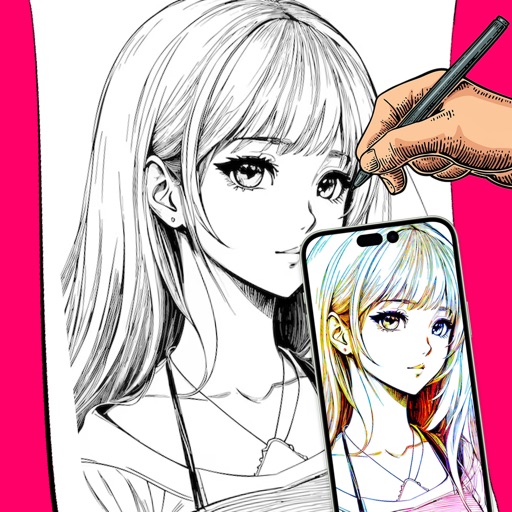
Use AR to sketch and draw on photos with realistic ink effects. outlines or create pencil sketches from images. Convert photos into artistic drawings with AI-powered tools. Save and share finished artwork directly.
Create art and cross-stitch patterns with palette selection and gridline toggle. Use eraser, drag or tap to draw, and long press to fill. Trace images and export as files. Supports cross-platform creation.
Color pictures with realistic painting tools and save work. Draw on blank pages with easy zoom features. Watch video replays of funny drawings. Access a variety of pages for creative expression.
Create fractal art using mathematical equations. Generate intricate patterns with customizable parameters. Adjust color, scale, and iterations. Save and export designs in various formats. Share creations directly from the .
Create and color animal doodles with customizable pencil sizes and a wide range of colors. Select from 40 free animal images for . Erase drawings and adjust graphics settings. Access HD images optimized for iPhone and iPad.
Create art using augmented reality features. Draw on real-world surfaces with AR overlays. Receive real-time feedback and guidance while sketching. Explore interactive tutorials and artistic tools to enhance drawing skills.
Allows users to select from 60+ illustrations. Choose from four realistic drawing tools including watercolor. Paint using artist-created patterns. Save and share completed pages.