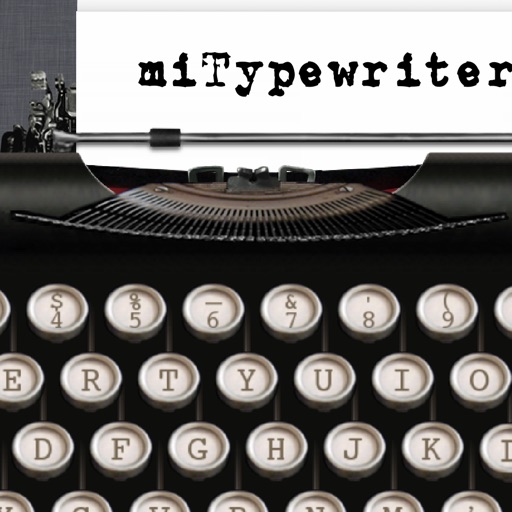
The app presents a typewriter interface on an iPhone or iPod Touch. Users can manage documents, email content as text or images, and utilize features like a backspace key and external keyboard support.
The app provides a realistic typewriter experience on the user's iPad. It offers features such as email by image or text, a backspace key, multiple fonts, keyboard layouts, and ink ribbon colors.
Automate repetitive clicks and multi-clicks on websites, social media, dating sites, or games. Create and save custom sequences with adjustable frequency and duration. No registration required.
Write and edit documents with RTF and Markdown support. Annotate and organize with customizable margins, headers, and footers. Edit PDFs directly and save in multiple formats. Sync across devices and access content offline.
Automate repetitive clicks with customizable timing settings. Access a built-in browser with search, -complete, and history. Use a custom keyboard for quick phrase input. Enable hands-free scrolling in Safari.
Take in lectures, stories, articles, journals, and theses. Highlight text in ebooks and PDFs. Fill out PDF forms. Organize and share . Sync across devices. Collaborate on documents in real time. Manage tasks and deadlines. Export in multiple formats.
Automatically perform repeated clicks at specified intervals. Tap any location on web pages for social media, games, or websites. Choose single or multi-click modes. Set custom click intervals. Execute clicks without manual input.
Q allows users to automate repetitive tapping tasks. Set custom click intervals between 1ms and 10s. Choose tap locations and create multi-point sequences for complex actions. Perform continuous or timed clicks without manual input.
™ turns a mobile device into a control for computers. It includes a cross-device clipboard for text and image transfer. Users can navigate with a virtual , keyboard, and touchpad. Specialized control panels allow precise device management.
Calculate with a dual-line display showing input and result simultaneously. Use percentage and backspace functions. Switch between 18 color themes. Enter multi-line equations. Automatically format scientific expressions.
Enables users to automate repetitive tasks by setting custom intervals and coordinates. It supports script creation for repetitive actions. Users can schedule tasks to run automatically. The allows for precise control over timing and location.
Custom font allows users to type with a variety of styles including cursive, gothic, bold, and bubble fonts. themes let users personalize the background with cute, cool, or stylish designs.
Allows users to create and customize automated sequences within a built-in web interface. Magnifier provides zoom functionality for detailed viewing. Users can adjust intervals and repeat actions.
Type emojis, symbols, and emotions directly without copy-pasting. Switch between 108 fonts for different styles. Use text arts and stickers with single-click access. Customize themes for personalized appearance.
Write documents with a typewriter-style interface featuring sound effects and a delete key. Edit text, format paragraphs, and save files. Email, print, or share documents directly from the .
Choose from over 118 fonts including emoji, upside down, and bubble letters. Apply fonts to messages across Facebook, Twitter, WhatsApp, Instagram, and iMessage. Customize text appearance for social media and instant messaging apps.
Control computer functions with touch gestures, keyboard input, and movements. Transfer text and images between devices using the cross-device clipboard. Access specialized control panels for enhanced device management.
Calculate with dual-line display and multi-line input
A with dual-line display showing input and result. Supports multi-line equations and tap-to-move cursor. Saves calculation history with timestamps and labels. Allows emailing calculations and swiping to review previous entries.
Automate clicks, curve swipes, and pinch gestures on custom web pages or games. Set custom durations for repetitive actions. Perform tasks like web browsing, gaming, or reading with automated touch inputs.
Write in a minimalist interface with customizable settings. Receive haptic feedback and realistic typing sounds. Customize carriage returns and margins. Type on any iPhone or iPad without distractions.