Blur faces in photos and videos using an AI-powered tool. Select areas to blur and apply precise face tracking for accurate results. Choose from multiple blur styles and overlays to customize the effect. Share edited content directly from the .
by Terminalni Poslovi d.o.o.★ 4.248 ratingsPhoto & VideoFreeData updated 2026-09-06
Remove unwanted objects, text, or backgrounds from images or videos. Use finger gestures to select areas for deletion. Automatically blend removed sections with surrounding content for seamless results. Edit both static images and clips.
Create digital paintings using layers, masks, and clipping. Apply smudge and blur tools for texture. Draw shapes and use pure colors. Erase parts of artwork. Save and share completed pieces.
Edit photos and videos with filters, effects, and frames. Crop, adjust brightness and contrast, and add text. Share edited content directly with friends.
Create or Rabbit Hole effects from with one tap. Transform panoramas and landscape images for unique visual styles. Instantly apply effects without needing advanced editing tools.
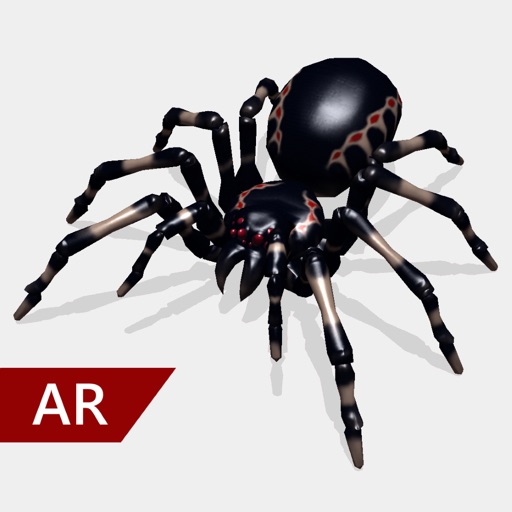
Create and share realistic scary videos featuring interactive . Choose from five spider types and adjust their size. Step on the ground to scare or let them attack. Apply nine full-screen filters to enhance the effect.
Edit photos and videos with trending filters, effects, and styles. Apply Glitch, Blur, Vintage, and other weekly updated effects. Design content optimized for Instagram, TikTok, Facebook, Snapchat, and other platforms.
Together vertically or horizontally. Combine chats, web pages, or side-by-side images into one image. Redact private information before sharing. Save and share the combined image directly.
Edit photos with filters, effects, and AI tools to remove or blur backgrounds. Add stickers, text, and frames. Apply glitch, neon, and drip effects. Adjust colors and crop images. Export and share edited photos directly.
Edit photos with multiple layers, blending modes, and masking. Adjust colors and brightness using adjustment layers. Apply brushes, smudge, warp, and effects. Add shadows and clarity. Export and share edited images.
Create cinemagraphs by animating static images with moving effects, presets, and filters. Add overlays and convert to videos or GIFs. Save and share animated photos as wallpapers or social media content.
Edit photos by applying local filters to specific image areas or text. Add multiple graphics and text elements with different filters. Export edited images in various formats and share directly.
Edit photos and videos with hairline matting for precise background removal. Erase unwanted people from images. Apply artistic filters and templates. Create greeting cards, memes, and ID photos. Export edited content in various formats.
The app allows users to customize iPhone, iPhone X, or iPad wallpapers with a blur effect. Users can apply the effect to included wallpapers or their own photographs and draw on images with included brushes.
Edit photos with depth-based bokeh effect for professional portrait blur. Restore old or damaged images with enhanced clarity. Remove unwanted objects from photos. Adjust colors, brightness, and contrast. Export edited photos in various formats.
Edit photos with crop, rotate, exposure, color, sharpness, and resize tools. Create grid collages and edit individual images. Access presets, clone tool, and fine curve adjustments for detailed edits. Export and share edited photos directly.
Edit photos by adding realistic scars, cuts, and bruises. Adjust transparency and blur for a lifelike appearance. Share modified images with friends and family.
Edit photos with effects using one-finger and two-finger controls. Apply bokeh blur to simulate a lens. Adjust focus and perspective to warp images creatively. Export edited photos in various formats.
Edit photos with single-tap effects and professional filters. Adjust brightness and contrast. Apply blur and focus tools. Enhance portraits with specialized filters. Export edited images in various formats.
Edit photos with advanced filters, lighting adjustments, and blur. Add text, stickers, and effects. Crop, rotate, and enhance details. Export in various formats and share directly.