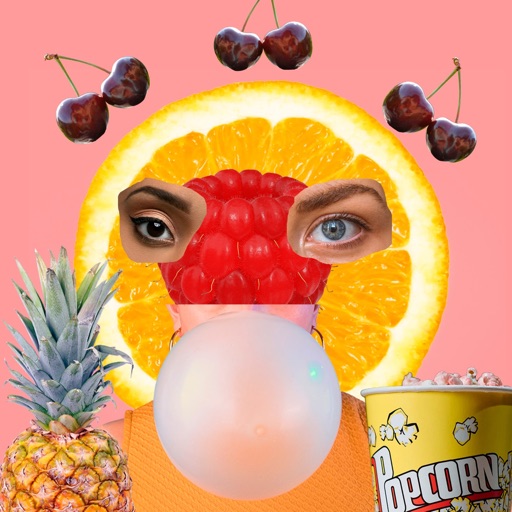
Photos with clipping tools to remove backgrounds, apply predefined effects like glitch and duotone, and enhance images with magazine-level touch-ups. Add text, stickers, and unlimited undo/redo features.
Create social media content by selecting from hundreds of . Import images or videos to customize designs. Add text, graphics, and effects to enhance visuals. Export and share content directly to social platforms.
Find objects in detailed images. Complete puzzles by locating and marking items. Explore vibrant scenes with varying difficulty levels. Earn rewards and unlock new puzzles. Track progress and revisit previous levels.
Remove backgrounds from photos and videos using advanced neural network technology. Change backgrounds to any desired image. Use presets or customize styles. Edit, resize, rotate, and crop media. Apply filters, add stickers, logos, and text.
Edit photos with AI-powered one-tap tools and auto-collage features. Create collages and design layouts using professional templates. Apply artsy effects to turn photos into paintings, cartoons, or sketches.
Customize iPhone and widgets with personal photos. Edit and widgets easily. Choose from daily updated content sets. Apply customizations to home screen and lock screen. Sync with iOS 18.
Create collages using hundreds of templates. Arrange images in custom layouts. Add text, stickers, and effects. Export and share directly to Instagram. Design carousels with seamless transitions. Edit photos with cropping and filters.
Edit photos with AI-powered tools like face swap, background removal, and object removal. Enhance image quality with the quality enhancer. Convert images to video. Use the AI agent for generating photos and editing concepts.
The app allows users to create HD videos and photo collages with music, AI effects, and voice-overs. It supports up to 12 frame collages, 30-minute videos, and 4K resolution sharing.
Create double exposure effects by blending two images. Adjust opacity and alignment for custom overlays. Save and share edited photos directly. Access advanced editing tools with a premium subscription.
Design posts with swipeable carousels and collages
Create swipeable posts and panoramic collages for Instagram. Use professionally designed templates or build custom layouts. Add text, images, and effects. Export and share directly to social media.
Digital sketches and collages with intuitive gesture-based tools. Add and arrange multiple photos on a single page. Cut, paste, move, and rearrange elements easily. Save and share creative projects directly.
Edit photos and videos with filters, effects, and frames. Crop, adjust brightness and contrast, and add text. Share edited content directly with friends.