Control sound equalization and pre-sets. Find earphones by sound or location. Customize control buttons. Receive firmware updates. Adjust audio settings for optimal listening.
by STATUS AUDIO LLC★ 4.96,131 ratingsMusicFreeData updated 2026-09-06
Adjust audio with boost for deeper sound and volume for louder playback. Use equalizer controls to customize frequencies. Enhance music clarity and apply sound effects for personalized listening.
Edit guitar tones wirelessly via Bluetooth. Adjust modulation, echo, and reverb parameters. Access advanced settings for detailed tone shaping. Control amplifier functions from a mobile device.
Learn to use a real parametric EQ with interactive lessons. Adjust frequency, gain, and Q settings. Practice equalization techniques and apply them directly to audio projects. Track progress through structured modules.
Adjust sound frequencies for personalized audio settings. Support multiple audio and video formats. Optimize performance based on device capabilities. Play enhanced sound quality.
Enable anti-theft protection by triggering alarms based on device movement, unplugging cables, removing from pockets, or disconnecting earphones. Lock the screen remotely and locate the device using GPS.
Create custom soundscapes by mixing sound effects, music tracks, and ambient noises. Adjust volume levels and layer for immersive storytelling. Save and export custom sound mixes for use in role-playing games.
Customize AONIC devices with button settings and prompts. Adjust parametric EQ in the or save settings to devices. high-res audio files and access podcasts.
Turn Bluetooth earphones into hearing aids with noise reduction for wind and footsteps. Amplify sound for greater distance. Automatically adjust based on hearing test results. Control volume and sound settings directly through the device.
Manage and customize with settings for noise cancellation, equalizer adjustments, and battery monitoring. Pair devices easily, control volume, and access firmware updates. Track usage stats and adjust touch controls for personalized experience.
Adjust sound frequencies for optimal audio quality. Support multiple audio and video formats. Play songs enhanced clarity. Sync device settings for efficient performance.
Configure device settings like speed sensitivity and GPS logger sampling time. Download firmware updates and new features for the NOVASAIL V2. Adjust start line offset and manage device parameters through the .
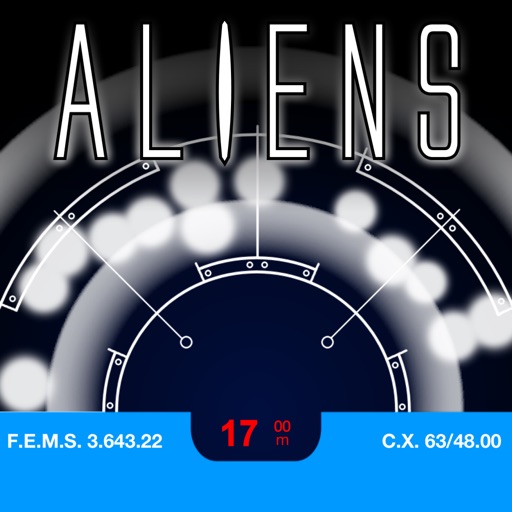
Use the device compass and gyroscope to control an alien character on the screen. Tap to place on the scanner. View authentic visuals and sound effects. Act out scenes from classic movies or create original alien encounters.
Create using preloaded sound packs and loops. Choose a genre and tap to generate tracks. Share songs directly with friends. Edit loops and adjust settings to customize beats. Export tracks in audio format.