
iPhone Screenshots



Description
Enable anti-theft protection by triggering alarms based on device movement, unplugging cables, removing from pockets, or disconnecting earphones. Lock the screen remotely and locate the device using GPS.
iAntiTheft: The Ultimate Anti-Theft Alarm App for Your Phone
Protect your phone from theft with iAntiTheft, a powerful app packed with features designed to keep your device secure.
Key Features:
Four Powerful Protection Modes:
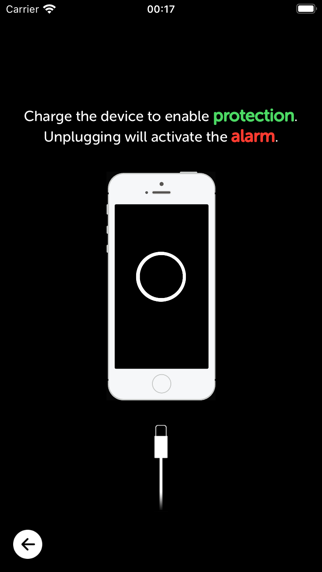
• Power Mode: Triggers an alarm when the lightning cable is unplugged.
• Motion Mode: Activates an alarm if the device is moved.
• Pocket Mode: Alerts you when the phone is removed from your pocket.
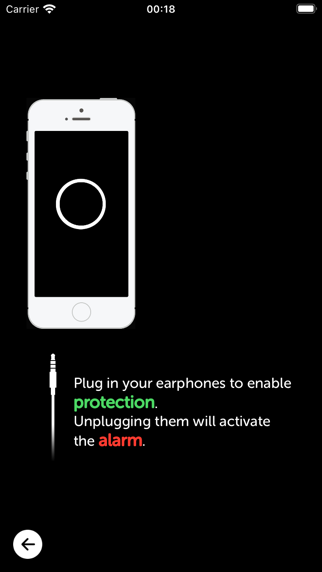
• Earphone Mode: Sounds an alarm if the earphones are unplugged.
Smart Auto-Protection:
• The smart mode automatically selects the most suitable protection setting with just one tap. Let the app choose the best mode for you effortlessly.
Seamless Call & Siri Detection:
• The app detects when you’re on a call or using Siri, ensuring the alarm doesn’t activate during these moments. Once the call ends, simply return your device to the required state to resume protection.
Additional Features:
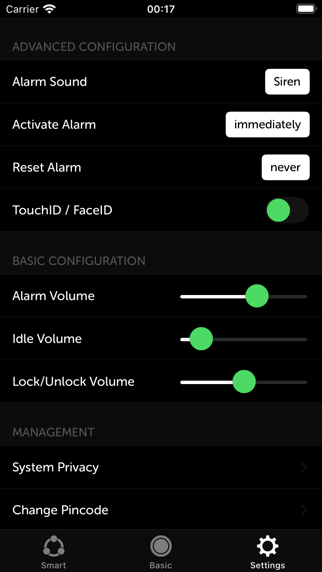
• Fully integrates with your device’s passcode, Touch ID, and Face ID.
• Automatically locks the volume at its maximum setting for added security.
• Runs reliably in the background and lock mode.
• Includes a convenient Today Widget in the Notification Center.
• Designed with an optimized, user-friendly interface for a seamless experience.
---------------------
Stay Connected:
• Follow us on Twitter: http://www.twitter.com/iantitheft
• Like us on Facebook: http://www.facebook.com/iantitheft
• For any feedback, email us at: [email protected]