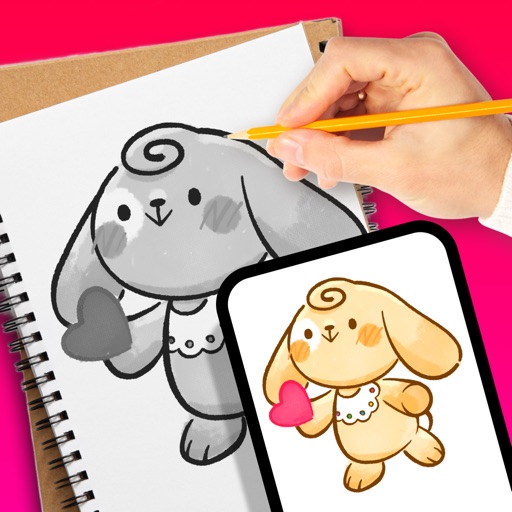
Apps Like Dear Bear - Drawing app for iPhone and iPad
Draw with fingers or Apple Pencil
Draw and create with finger or Apple Pencil. Access professional tools including layers, brushes, and materials. Import images. Edit and save drawings. Share completed artwork.
by 受杰 柯★ 4.580 ratingsProductivityFreeData updated 2026-09-06
Create and edit and drawings for home screen and lock screen widgets. Draw with Apple Pencil or finger, type with keyboard. Customize backgrounds, colors, fonts, and zoom for details. Combine text and drawings in one note. Share as images or text.
Create art with customizable drawing tools and templates. Access packs for calligraphy, mandalas, and artist-inspired paintings. Choose from themed categories like Ink. Practice drawing techniques and explore creative exercises.
Create custom black-and-white line drawings using AI prompts. Draw freely with customizable tools. Access a global community for sharing and feedback. Save and export artwork in various formats.
Create video content with pre-made for fashion, fitness, travel, and parties. Add trending music and original audios. Edit videos with built-in tools. Export and share directly to Instagram Reels and TikTok.
Use augmented reality to trace photos or line drawings. Adjust brush settings for precision. Annotate and refine sketches digitally. Export final artwork in various formats. Share drawings via social media or email.
Objects in using finger gestures to draw and tag. Add text and comments in multiple colors. Use different line endpoints and angle tags. Include shape tags for precise markings. Save and share annotated images.
Photos by tapping to automatically backgrounds or specific objects using AI. Select images from the library or camera. Adjust intensity and apply effects to hide unwanted details. Export edited photos directly.
Create digital artwork with customizable brushes and adjust texture, shape, and paper quality. Import and export images in various formats. Access unlimited brushes and tools for free for 30 hours monthly.
Turn static images into animated videos using pre-designed templates. Add motion to characters, set scene transitions, and customize effects. Export and share finished animations directly.
Create custom and symbols by drawing on the screen. Use 50+ pre-designed and Kaomojis in any via keyboard extension. Customize keyboard with wallpapers and system emojis. Design handwriting and share creations.
Take handwritten notes with stylus or fingers. Import and annotate PDFs. Add text, images, shapes, and stickers. Move, resize, or rotate objects. Use layers for organization. Export documents as PDF.
Learn to draw anime characters with structured lessons covering basic poses and chibis. Access coloring pages for stress relief. Use realistic brushes to enhance techniques. Track progress and practice different art styles.
To with guided lessons that show real strokes from professional artists. Practice step-by-step techniques to build confidence and accuracy. Use Apple Pencil for precise input and track progress through interactive exercises.
Create and edit drawings using augmented reality. in real-time with touch or stylus. Adjust colors, brush sizes, and opacity. Share drawings directly or export as images.
Use AR camera to trace and sketch projected lines onto paper. Draw over real-world objects with digital ink. Save and share artwork directly. Adjust line thickness and color. Export drawings in multiple formats.