View and convert Lossless Matrix Images (LMI) and monochrome PAK files. Display images and animations with quickview and thumbnail previews. Integrate with file managers for easy access and playback.
by Jonatan Yde★ 0.00 ratingsPhoto & VideoFreeData updated 2026-09-06
Convert images to JPG, PNG, HEIC, and other formats. Resize photos for web use. Compress images to save space. Edit metadata and adjust image quality. Export files directly to device storage or cloud services.
The app offers a fullscreen file viewer with interactive or automatic display modes. It supports common image and office file formats, PDF rendering, and interactive HTML display.
The app allows users to create monochrome images from selected or taken photos. It offers 10 photo filters, cropping, moving, rotating, zooming, and text addition capabilities.
Open and view .dat and MSG files directly on iPhone or iPad. Extract attachments from Outlook emails. Access TNEF and XPS files without needing additional software. View hidden content from email messages.
Smart detects and deletes duplicate photos, screenshots, and blurred images. Large File Finder locates and removes large videos and files. Manage by removing unused files and organizing content.
Capture images and videos from USB cameras, FaceTime cameras, or image files. Export in PNG, JPEG, or TIFF formats. Record in MOV or MP4. Scan QR codes and Data Matrix codes. Measure with line segments, polylines, and shapes.
The app allows users to apply monochrome filters and effects to specific parts of an image by rubbing with a finger. Users can also reduce or enlarge images using a pinch gesture.
The app functions as a wireless DigiSlate using an iPad, iPhone, or iPod touch. It provides status viewing and remote control for WiFi-connected Timecode Systems products and B:LINK slave RF devices.
The app displays sphere images and pictures from omnidirectional cameras. Users can view multiple JPEG files side-by-side or import images from 3D CAD for comparison.
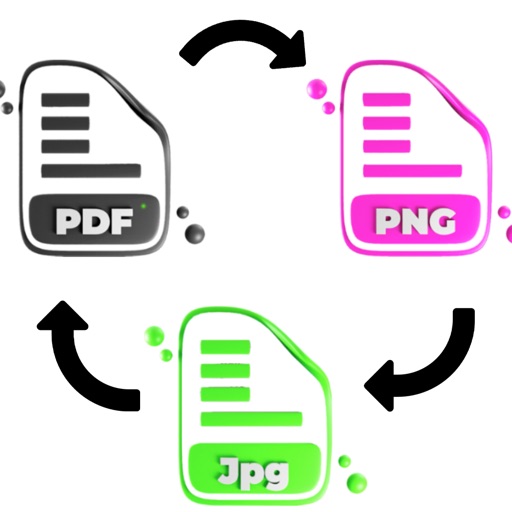
Convert PDF files to JPG, PNG, and GIF images. Convert images to PDF files. Save and share converted files. Send PDF images via social media platforms.
View Mac desktop images on iOS or Apple Watch without desktop interface distractions. Connect with on Mac. Drag image files to the Dock icon to preview. No file saving required.
The app opens archives without extracting and supports common formats like Zip, RAR, and 7-zip. Users can extract only needed files and open password-protected archives.
Convert by selecting images from the gallery or camera. Adjust page order, rotate, and delete pages. Maintain image quality during conversion and export as PDF.
The app displays stereoscopic images using various methods including SBS, Mirror, 2D, Anaglyph, and wiggle. It allows users to take L/R pictures with the internal camera, adjust image positions, and access over 1000 images from web galleries.