

Apps Like DeviceShot - Screenshot editor for iPhone and iPad
DeviceShot - Screenshot editor screenshots
Ranked alternatives
Showing 101–120 of 1,000 ranked alternatives.

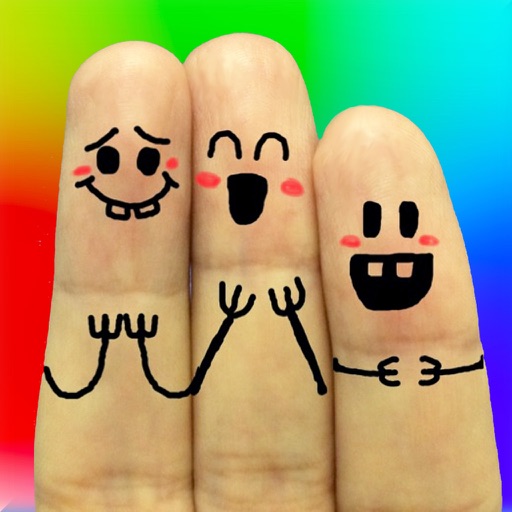
Cool Finger Faces - Photo Fun!
Ki Tat Chung
Create cool finger faces with photos.
The app allows users to create finger faces using photos from their camera roll or by taking new pictures. Users can add faces, items, stickers, and text, or draw their own creations.


Screenshot Manager - Organizer
Arthur Eduardo Skaetta Alvarez Desenvolvimento de Software LTDA.
Search and organize screenshots with AI
Organize and manage screenshots with search by text and AI-powered keyword recognition. Group screenshots into custom galleries by subject. Automatically import new screenshots and sort them into folders. Share or delete individual images directly.




SweetCamera
Masanari Takigawa
Apply filters to enhance photos
Take photos with high-resolution settings. Apply 40 free filters, including a popular pink filter. Edit images with color adjustments and effects. Add creative accents to photos. Share edited photos directly from the .

Metal Photo Frames - Silver, Steel, Shiny Pictures
Ankur Chauhan
Frame photos with metallic chain effects
Edit photos by applying and effects. Select images from the gallery or camera. Adjust frame position, size, and angle. Choose from multiple stylish frame options and effects.

My Stories: Video Maker
Ancle Apps LTD
Trim videos, cut clips, split videos, rotate,
Trim videos to 2–15 seconds. Cut segments and split into two parts. Rotate, crop horizontal to vertical, and take screenshots. Update dates to appear at the top of the gallery.


Muse Photo Editor
Quantis, Inc.
Apply filters and effects in one tap
Create artistic images with single-tap camera effects and professionally designed filters. Adjust brightness, contrast, and tone curve. Blur and focus images. Rotate, crop, and resize photos. Add text and fun stickers.

Blur ID - Hide Chat Screenshot
Yeonni Lee
Faces and sensitive text in screenshots
Automatically blurs faces, usernames, profile pictures, and sensitive text in screenshots. Users can share content across apps like iMessage, Instagram, WhatsApp, and Facebook while protecting privacy.
DecoBlend-Cute photo editor
Fineseed inc
Edit photos, add filters, and share online
Edit photos with filters, collages, and stamps. Add text and stickers. Save to albums. Share directly to blogs and social media. Apply toy camera effects. Adjust brightness and contrast. Crop and resize images.


EditShot – Photo Text Editor
Wuxi Duan
Edit in images with OCR
Edit photos to edit using on-device OCR technology. Extract, modify, and customize in images without internet. Separate from the background and restore the original image. Support multiple languages for cross-language recognition and editing.

PPics - Scrolling Screenshot
万庄 黄
Edit photos, splice images, adjust colors, add
Scroll through screenshots to create continuous pages. Merge images by removing overlaps. Adjust brightness, contrast, and color. Add text, arrows, and highlights. Apply filters and export edited images.

How we rank alternatives
Apps are ranked by functional similarity, category fit, rating confidence, and popularity.