Organize photos, remove duplicates, categorize images
AI helps users free up device storage by identifying and removing duplicate photos, categorizing images, and cleaning up screen recordings and large videos.
Draft email replies using AI based on user input. Automatically generate 1-line summaries for emails. Prioritize messages with smart sorting. Schedule emails to send later. Collaborate with team members in real time.
Record with audio and facecam. Capture full HD videos up to 4K. Record internal or system sound. No time limits or watermarks. Include whiteboard and screenshot features. Convert videos to GIF. Support streaming and audio recording.
Language learning helps users read articles, books, or novels by scanning text and identifying difficult words based on their fluency level. It translates these words and provides pronunciation guidance.
Edit images with drawing tools like rectangles, ovals, arrows, lines, and text. Add notes and highlights. Adjust colors and brightness. Save and share annotated images directly.
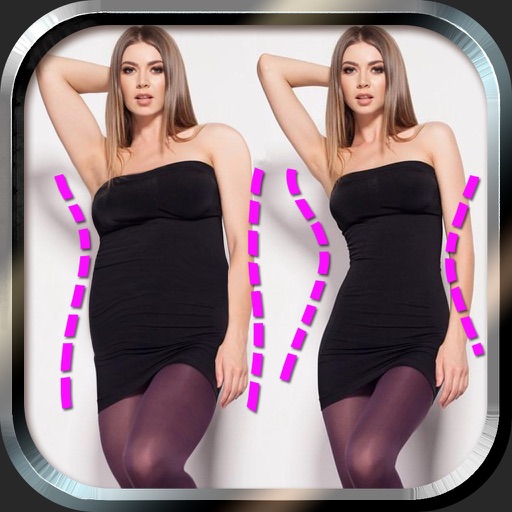
Edit photos to and body using auto-detection. Adjust and body thickness with sliders. manual edits and undo changes. Compare original and edited images. Save results to albums and share via email or social media.
Convert photos and images between JPG, PNG, and formats. Adjust compression quality for each file. Batch convert multiple images at once. Select destination folder or share directly without complex steps.
With filters, cropping, and adjustment tools. Apply beauty enhancements and double exposure effects. Use color splash and resize images. Access frames and story templates. Change resolution and export in multiple formats.
Recorder captures iPhone for tutorials, demos, or notes. Screenshot feature allows quick captures with editing and annotations. Share files via secure links or direct upload.
Edit photos with eye and pupil templates. Adjust eye size and remove red eye. Experiment with contact lens effects. Automatically detect eye position. Change and fix eye lenses. Save and share edited images.
Capture web pages by entering URLs to generate high-quality screenshots. Save full-page images to your album. Generate HD content maps and long-page visuals for social media, ads, and reports.
Distances using Augmented Reality. Tap to place markers and calculate lengths. Undo measurements. Choose different colors for markers. Take screenshots. Switch between metric and imperial units.
Edit screenshots with redact, highlight, underline, strike, blur, blend, and pixel tools. Create and customize screenshots with notes, text overlays, GIFs, and device mockups. Adjust shadows and fillets for precise styling.
Edit photos by applying filters and adding eye effects. Choose from multiple eye styles and import images from the camera roll. Share edited photos on social media platforms like WhatsApp, Facebook, and Twitter.
Multiple screenshots together to create a single long image. Select and arrange manually or let the auto- them seamlessly. Export the merged image for sharing or saving.
Organize and search with AI-powered text recognition. Save, tag, and categorize images. Search for specific words or phrases within . Share or delete images directly from the .