Apps Like Camera Scanner - PDF Scan OCR for iPhone and iPad
Documents, receipts, and photos
Documents, receipts, and photos to convert into PDF or JPEG. Add signatures and share files directly. Organize scanned images and manage documents securely. Supports OCR for text recognition and includes editing tools.
by Labhuben Kachhadiya★ 4.71,167 ratingsBusinessFreeData updated 2026-09-06
Create and edit PDF documents with tools for text formatting, image insertion, and page rearrangement. Convert files between PDF and common formats like Word, Excel, PowerPoint, HTML, and JPG.
Scan documents into PDF, JPG, or TXT formats. Edit scanned files, save them instantly, and share via email or messaging. Organize and store documents digitally for easy access and management.
Turn your phone into a professional scanner. Capture documents, receipts, and notes with crystal-clear quality. Save, edit, and share scans as PDFs. Merge, reorder, and organize pages. Export via email, cloud, or messaging apps.
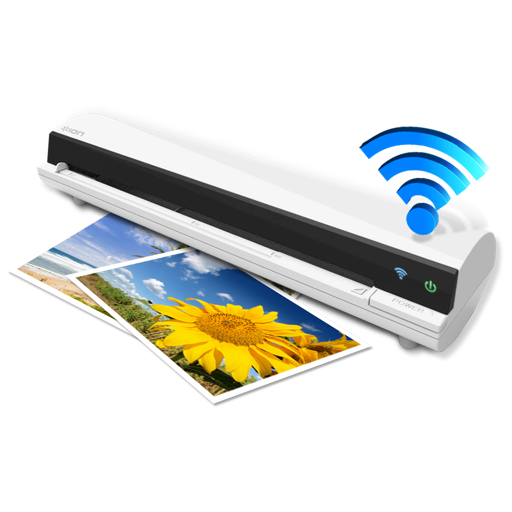
The app works with the ION Air Copy hardware, a portable Wi-Fi scanner. It scans photos, receipts, business cards, notes, and documents up to US Legal size directly to a Mac, then shares them via email or social networking.
Documents and convert them into PDF for sharing. Perform OCR to extract text, website addresses, or phone numbers. Save scans automatically to iCloud Drive across Apple devices. iPad version allows drag-and-drop for document transfers.
Read and navigate PDF files quickly with smooth scrolling and zoom. physical documents to create PDFs. files to multiple formats. Share and annotate documents directly. Open large files efficiently.
Documents to create PDF or JPG files. and convert files to ZIP format. Share, print, and organize digital documents. Edit scans with automatic edge detection and image enhancement.
Documents into clear PDF or JPG format by placing them on the phone camera. Automatically detect borders, crop, and save as HD files. Share documents with colleagues or friends via email or messaging apps.
Digitize using AI-powered scanning. Organize files into folders and share them via email or cloud services. Edit scanned images, adjust brightness and contrast, and export in PDF or image formats.
INFOSOFT Informations- und Dokumentationssysteme GmbH
Scan and organize documents instantly
Scan documents into searchable PDFs with OCR text recognition. Organize and access files instantly through a secure management system. Store documents locally or in the cloud. Share scanned documents directly via email or messaging.
Scan physical documents to create high-quality PDF files. Edit and annotate scanned documents. Organize files into folders. Share documents via email or cloud services. Convert scanned pages into editable text.
Documents and images to create PDF or PNG files. Save scans to device storage. Share files via email or cloud services like OneDrive. Batch multiple items for efficiency. Apply filters to enhance quality.
Scan documents, photos, and receipts using the device camera. Save scans as PDF or image files. Share scanned documents via email or social media. Edit scanned images with cropping and brightness adjustments.