Apps Like Cast for Chromecast + for iPhone and iPad
Content to your device
Content from devices to by connecting to the same Wi-Fi network. Select and send web, video, image, or audio files to compatible devices. Manage connections and media directly through the interface.
by DATA PROTECTION SERVICES OOD★ 4.5282 ratingsUtilitiesFreeData updated 2026-09-06
Securely store and manage passwords with encryption. nd verify time-based one-time passwords for 2FA. Sync data across devices using encrypted cloud backup. Support for multiple platforms for consistent access.
Create artworks and avatars using AI-generated images based on text prompts. Describe visual ideas to generate unique art instantly. Edit and customize generated images directly within the . Share finished artworks through built-in sharing options.
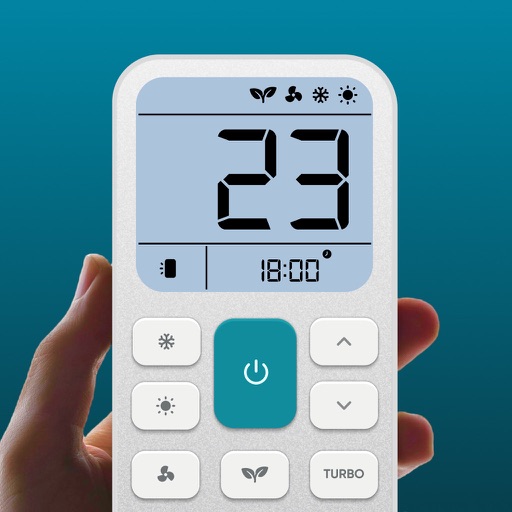
Control air settings from a smartphone. Adjust temperature, switch modes, set timers, and change fan speed. Connect to multiple AC units. Compatible with various brands. Manage cooling or heating remotely. View and adjust schedules.
Stream web videos, photos, and music from iPhone to TV without requiring TV installation. Cast content directly with ultra high-quality streaming. Supports casting without additional setup on the TV.
Record phone calls and voice with high-quality audio. Start or stop recordings manually or automatically. Organize files into folders and rename them. Securely store recordings and access them anytime.
Navigate using turn-by-turn directions and real-time traffic updates. Access playlists, make calls, and send messages directly from the car display. with preferred apps for a unified interface. Receive updates and alerts for ongoing performance.
Enables users to ask questions and receive instant replies. It assists with writing tasks such as generating texts, emails, and essays. It supports multiple languages for translation and conversation.
Adjust brightness and change colors for connected LED devices. Set dynamic lighting modes and schedule lighting effects. Control multiple devices simultaneously and adjust settings in real-time.
Remove duplicate and similar photos and videos with intelligent selection. Delete unnecessary files quickly. Choose which photos to keep from duplicates. Simplify iPhone management with one-click cleaning.
Customize device appearance with , posters, and widgets. Choose from a wide selection of backgrounds. Apply widgets for quick access to apps. Adjust and organize screens. Share custom designs with others.
Control TV with remote functions. Cast photos, videos, and media files from camera roll or cloud storage. Stream music tracks and internet content via built-in browser. Create photo slideshows and manage playback controls.
Control vehicle functions remotely by locking, unlocking, and accessing car features through a user-friendly interface. Schedule engine start, monitor battery levels, and receive maintenance alerts.
Control your smart TV remotely via smartphone or tablet. Adjust volume, change channels, and navigate menus using a virtual . Type with device keyboard for faster input. Use touchpad navigation for precise control.
TV functions via smartphone without a physical . Change channels, navigate menus, and manage launches. Adjust volume, pause, and rewind content. Connect to TV over Wi-Fi on the same network.
Use AI to generate ideas, rephrase text, and research topics directly within any . Chat with AI for advice, translate messages, and access writing tools. Customize keyboard settings and manage AI interactions through a dedicated interface.
Media from iPhone to Smart TV via WiFi. Mirror for live viewing. Access Photos and Videos library directly. Connect to compatible Smart TVs quickly. Share content without delay.
Locate Bluetooth devices by scanning for nearby devices. Tap to select a and view its distance score. Move around to improve detection accuracy. Connect directly if the is nearby.
QR Scanner allows users to scan and read QR codes and barcodes using their phone's camera. It provides product details, opens links, and connects to Wi-Fi. Users can save scan history and access previous scans.