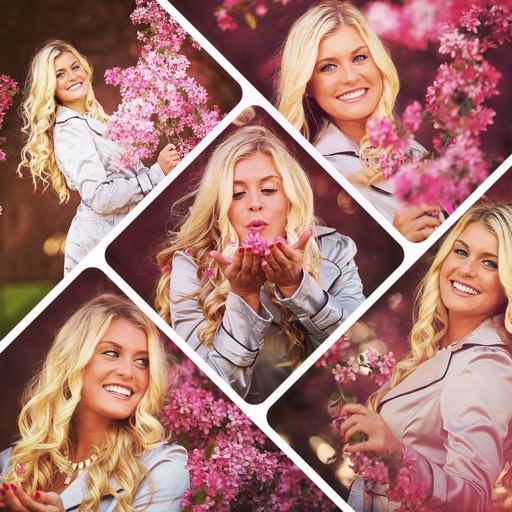
Apps Like Pic Collage Maker Grid Layout for iPhone and iPad
Edit photos, create collages, share online
Create collages by arranging photos in various layouts and adjusting their position, angle, and size. Apply unique filters and choose from rich typography styles and text stickers.
Create -style covers with photo frames and effects. Add text, stickers, and quotes to photos. Choose from various templates and styles. Edit images with filters and typography tools. Share finished designs directly.
Video and music player allows high-quality playback with advanced controls. Gallery lets users browse and view images in an intuitive interface. Video editor enables trimming, cutting, and adding effects.
Add to and videos with customizable fonts and real-time filters. Edit captions and quotes directly in the camera. Share content instantly with friends. Apply artistic typography and dynamic filters for enhanced visuals.
Create videos with filters, effects, and stickers. Add music and cinematic transitions. Edit photos into slideshows with customizable templates. Export and share finished videos directly.
On with precise tools. Add text, shapes, and stickers. Insert layers and blend images. Create collages with frames and stamps. Design custom stickers and share directly via iMessage or the .
Create surreal or funky art with one-tap effects like double exposure and fragmenting dispersion. Edit photos with intuitive tools, apply artistic filters, and adjust colors. Save and share edited images directly.
Resize photos to format without cropping. Apply filters, add text, emoji stickers, and customize background effects. Share directly to social media platforms.
Edit photos with background removal, object elimination, and AI-style transfer. Add text, stickers, and custom fonts. Generate AI art, create flyers, and apply effects. Export in various formats and share directly.
Create collages with adjustable layouts and customizable frames. Crop, filter, and adjust speed. Add background music and preview instantly. Export in high resolution and share directly.
Shenzhen Qianhai Happy Tour Network Technology Co., Ltd.
Create posts from photos
Create and share photos in a unique format. Select from 50+ layouts. Automatically suggest image order for posting. Crop photos directly within the . Add videos to posts. Display full banner images on social media profiles.
Create collages by combining multiple photos using various frame patterns and grid layouts. Apply over 1100 design styles to individual images or collages. Share finished creations directly from the .
Create photos without cropping. Edit images with filters, backgrounds, and layout adjustments. Make photo collages using hundreds of layouts. Share high-quality photos to social media platforms. Adjust ratios and add text for customization.
Create collages by importing images from the camera roll. Combine photos using hundreds of . Adjust and rotate individual images. Add text and artwork with Pro. Share collages on Instagram.
Create collages with up to 16 images. Rearrange photos and select from 200+ grid layouts. Adjust spacing, padding, and layout ratio. Apply filters to multiple photos or individually.
Create collages using 100+ 2D/3D frames. Add images from gallery or camera. Adjust opacity and rotate photos. Include text with custom fonts and colors. Apply effects to enhance visuals. Export and share finished collages.
Create personalized by adding your own images. Choose from a variety of to design collages. Decorate and customize photos with available templates. Share finished collages with friends and family.